

The 10 Best Time Clock Software for Small Businesses in 2026

Written By: Eric Czerwonka
Last Updated September 10, 2026
If your team still relies on handwritten timesheets and spreadsheets for time tracking, you’re probably losing more time and money than you think. Employees write down that they arrived on time even when they were late, bookkeepers spend hours doing manual calculations at the end of each pay period, and mistakes work their way into payroll, creating rework and degrading morale.
Employee time clock software gives you an accurate, transparent record of hours worked. It automates payroll calculations, lets you track project costs accurately, and gives you lots of features that ensure employees are actually working when they say they are.
In this post, we’re taking a look at the 10 best time clock software for small businesses. Below, you’ll find our detailed reviews, explaining which types of businesses and teams each tool is best for, what unique features they offer, and how all of the tools compare on price.
Overview of the best employee time clock software
Here’s a brief overview of the best employee time clock software for small businesses. To learn more about a specific tool, click its link to jump down to our full review.
| Platform | Best for | G2 Rating | Free Plan | Free Trial | Starting Price |
|---|---|---|---|---|---|
| Buddy Punch | Hourly employees who work across multiple locations | 4.8/5 | No | 14 days | $4.99/user/month |
| Time Doctor | Preventing time theft by knowledge workers | 4.4/5 | No | 14 days | $6.67/user/month |
| Hubstaff | Companies that need HIPAA compliance | 4.4/5 | No | 14 days | $4.99/seat/month |
| Connecteam | Businesses with limited budgets that have 10 or fewer employees | 4.6/5 | Yes, for up to 10 users | 14 days | $29/month |
| Kimai | Companies that want to self-host their time clock software | 4.8/5 | Yes, if self-hosting | 30 days (cloud-hosted version) | €2.99/user/month for cloud-hosted plans |
| 7shifts | Restaurants and other foodservice businesses | 4.5/5 | Yes, but it does not include time tracking | 14 days | $39.99/location/month |
| ClickTime | Professional services businesses | 4.6/5 | No | Not offered | $12/user/month |
| Deputy | Automated scheduling | 4.6/5 | No | 30 days | $5/user/month |
| QuickBooks Time | Connecting time tracking to accounting | 4.5/5 | No | 30 days | $10/user/month |
| Roll by ADP | Affordable payroll | 4.6/5 | No | 3 months | $5/employee/month |
How we chose the apps on this list
We started out by looking at customer ratings on G2 to determine which time clock systems are highest rated by their existing customers. This helped us find 77 highly rated options that we wanted to take a closer look at.
Then, we reviewed the features of all 77 of those apps. Since so many of the options on the market offer nearly identical feature sets, we wanted to identify those that offered something unique for specific types of work, pain points, or industries. Removing several tools that didn’t offer anything unique left us with 34 remaining options.
Next, we dug deep into the pricing for each tool. Since budget is always a concern for small businesses, we wanted to feature the software that offered the highest number of valuable features for the lowest cost. This led to us removing another 11 apps that felt too expensive for the value they delivered.
Finally, we started free trials of the remaining 23 options. We tested each of them to make sure they were easy to use, included the features we expected to get in the plans we expected to get them in, and offered support when we requested it.
The winners of that process are the 10 time clocks we’ve included below.
What’s the difference between time clock software and time tracking software?
There isn’t a difference between time clock software and time tracking software. It’s just two different ways that people refer to platforms that are used to track work hours. Other common terms that refer to this type of software include timesheet software, time card software, timekeeping software, clock-in clock-out software, employee check-in software, and punch clock software.
Additionally, “software” and “app” are also used interchangeably, so a “time clock app” is the same thing as “time clock software,” a “time tracking app” is the same thing as “time tracking software,” and so on. “Software” used to refer to a program that was downloaded onto a computer, but now that most software is primarily accessed via web applications, that distinction no longer applies.
The 10 best time clock software for small businesses
The 10 best time clock software for small businesses are Buddy Punch, Time Doctor, Hubstaff, Connecteam, Kimai, 7shifts, ClickTime, Deputy, QuickBooks Time, and Roll by ADP. Keep reading for more details about each platform.
1. Buddy Punch – Best for hourly employees who work across multiple locations
Available on the web plus apps for iOS, Android, and ChromeOS

Buddy Punch is a time tracking and scheduling app built for businesses whose employees work on-site and on the move. It pairs a mobile time clock with GPS tracking, geofencing, PTO tracking, and scheduling so you can confirm hourly staff are clocked in from the right place at the right time.
Best for:
Buddy Punch is best for construction, field services, healthcare, manufacturing, transportation, and other companies where hourly employees work across multiple locations. Its features help you ensure employees are where they’re supposed to be when they’re supposed to be there, letting you keep track of your team even when you’re not on site working with them.
Key features:
- GPS tracking: Log employees’ location when they clock in and out or track their locations in real time the whole time they’re on the clock.
- Geofences: Set up virtual boundaries around work sites to prevent offsite punches.
- Employee alerts: Auto-alerts remind employees to clock in and out at the beginning and end of their shifts.
- Manager alerts: Get a notification when employees clock in late, clock out early, miss a shift, or are getting close to hitting overtime hours.
- Time theft prevention: Require employees to take a selfie when clocking in and out to prevent buddy punching, or use facial recognition on Apple devices.
- Location-based scheduling: Assign employees to work at specific locations for specific shifts, and filter your schedule to view each location individually.
- Job and location costing: Assign job codes or locations to employees to track labor hours against specific projects or across different storefronts.
- Timesheet approvals: Have on-site supervisors or managers review their team’s timesheets and approve them before running payroll.
- Break tracking: Notify employees when it’s time to take a break, schedule breaks automatically based on hours worked, and automatically remove unpaid break times from timesheets.
Payroll integrations:
ADP, Deltek, Deluxe Payroll, Gusto, iSolved, Justworks, Paychex, Paycor, Paylocity, Payment Evolution, PayPlus, QuickBooks, Rippling, SurePayroll, TriNet Payroll, ViewPoint, Wagepoint, and Workday
Pricing (as of September 2026):
Buddy Punch offers a 14-day free trial where you can test drive all of its features before committing to a purchase.
| Plan | Starting price (annual pricing) | Features included |
|---|---|---|
| Starter | $4.99/user/month | Time tracking, PTO management, alerts and reminders, GPS on Punch, job costing, payroll integrations, timesheet approvals, and reporting |
| Pro | $6.99/user/month | Everything in Starter, plus geofencing, scheduling, kiosk mode, Photos on Punch, and break tracking |
| Enterprise | $12.99/user/month | Everything in Starter and Pro, plus real-time GPS, single sign-on, dedicated support, and concierge onboarding |
Buddy Punch also offers a few add-ons that let you extend the features of your plan without having to jump to a higher plan tier. You can add scheduling to the Starter plan for $1/user/month, and you can add real-time GPS to the Starter and Pro plans for $2/user/month. Additionally, built-in payroll can be added to any plan for $8/user/month.
Customer ratings (as of September 2026):
- 4.8 out of 5 overall on G2 across 401 reviews
- 4.8 out of 5 overall on Capterra across 1,041 reviews
- Features rating: 4.7/5
- Value for money rating: 4.8/5
- Ease of use rating: 4.8/5
- Customer service rating: 4.8/5
Limitations:
- No free plan.
- Payroll is available for U.S. companies and U.S.-based employees only.
Learn more about Buddy Punch
- Start a free trial — no credit card required
- View pricing
- Watch a video demo
- Take an interactive product tour
- Request a personalized demo
2. Time Doctor – Best for preventing time theft by knowledge workers
Available on the web plus apps for Windows, macOS, Ubuntu, ChromeOS, iOS, and Android

Time Doctor is a time tracking and employee monitoring app that’s designed for companies with employees who do most or all of their work on computers. It lets you see exactly what employees are doing with their time while they’re on the clock.
Best for:
Time Doctor is best for companies that are concerned about time theft by knowledge workers. Its features let you ensure that computer-based employees are actually working while they’re logging hours.
Key features:
- App and URL monitoring: See what websites and applications employees are using while they’re on the clock.
- Automatic screenshots: Collect snapshots of employees’ computer screens at regular intervals so you can see what they were doing on sites they were using.
- Idle detection: See when employees are logging time but not actually doing anything on their computers.
- Silent monitoring: Monitor employees’ computer activities without them knowing they’re being monitored.
- Reports: View productivity reports by employee, team, and overall, and compare your company’s metrics to similar companies with benchmark reports.
- Project management integrations: Connect with tools like Asana, Basecamp, and ClickUp to sync projects and tasks to your time tracking system.
- Help desk integrations: Connect to Zendesk, Freshdesk, Freshservice, Intercom, Help Scout, Spiceworks, and Zoho Desk to track time toward specific support tasks.
Payroll integrations:
ADP, Gusto, Payoneer, PayPal Payouts, Deel, Wise, and Xero AU Payroll
Pricing (as of September 2026):
Time Doctor offers a 14-day free trial where you can test drive all of its features before committing to a purchase.
| Plan | Starting price (annual pricing) | Features included |
|---|---|---|
| Basic | $6.67/user/month | Time tracking, project and task tracking, and automatic screenshots |
| Standard | $11.67/user/month | Everything in Basic, plus scheduling, attendance tracking, time card approvals, app and URL monitoring, integrations, and productivity rankings |
| Premium | $16.70/user/month | Everything in Basic and Standard, plus benchmark reports, idle time detection, single sign-on, and a dedicated success manager |
| Enterprise | Custom pricing | Everything in Basic, Standard, and Premium, plus private cloud deployment, customizable BI dashboards, concierge onboarding, and custom development |
Customer ratings (as of September 2026):
- 4.4 out of 5 overall on G2 across 497 reviews
- 4.5 out of 5 overall on Capterra across 547 reviews
- Features rating: 4.4/5
- Value for money rating: 4.3/5
- Ease of use rating: 4.5/5
- Customer service rating: 4.4/5
Limitations:
- No free plan.
- Payroll integrations are limited, and there’s no option for built-in payroll.
3. Hubstaff – Best for companies that need HIPAA compliance
Available on the web plus apps for Windows, macOS, Linux, iOS, Android, and Chrome
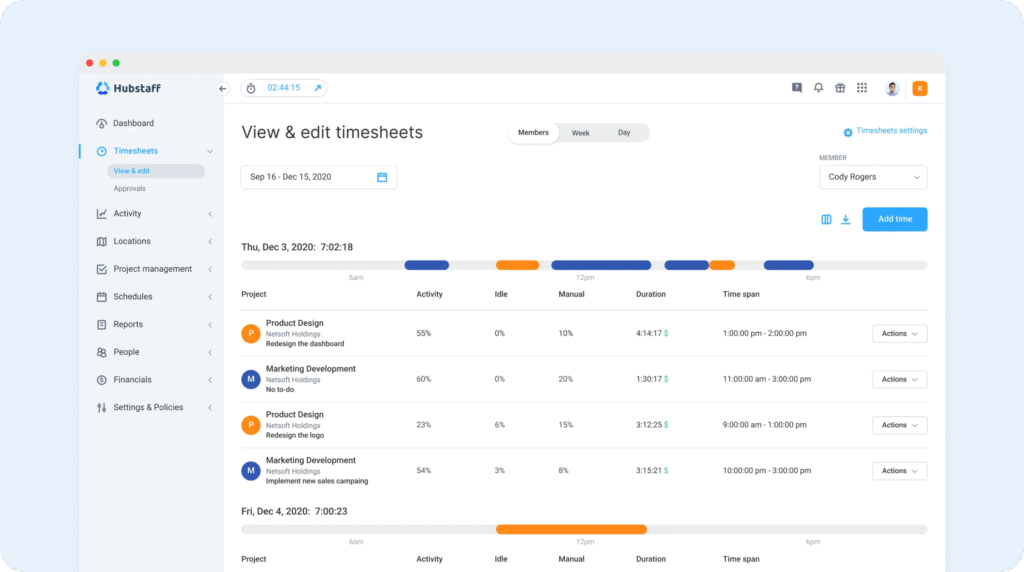
Hubstaff is a time tracking tool with features to prevent time theft by all types of employees. It has computer monitoring tools like Time Doctor and location tracking features like Buddy Punch, so you’re covered for preventing time theft no matter where or how your employees work.
Best for:
Hubstaff’s standout feature is that it offers HIPAA compliance on its Enterprise plan. This makes it a good option for healthcare companies that want to monitor what employees are doing on their computers without the risk of exposing PII.
Key features:
- App and URL monitoring: See what websites and applications employees are using while they’re on the clock.
- Automatic screenshots: Collect snapshots of employees’ computer screens at regular intervals so you can see what they were doing on the sites they were using.
- Idle detection: See when employees are logging time but not actually doing anything on their computers.
- Automatic time tracking: Set the system up to automatically track time for employees when they’re using their computers so they no longer have to clock in and out.
- Geofencing: Set up virtual boundaries around work sites to switch employees’ job codes automatically when arriving at or leaving a site — or to remind them to switch job codes.
- Real-time GPS tracking: Track employees’ movements throughout the workday and view their locations at any time on a map.
- Project management integrations: Connect to Asana, Breeze, ClickUp, Jira, Monday, Trello, and Zoho Projects to sync projects and tasks to your time tracking system.
Payroll integrations:
Payoneer, Deel, and Gusto
Pricing (as of September 2026):
Hubstaff offers a 14-day free trial where you can test drive all of its features before committing to a purchase.
| Plan | Starting price (annual pricing) | Features included |
|---|---|---|
| Starter | $4.99/seat/month | Time tracking, automatic screenshots, app and URL tracking, and client invoicing |
| Grow | $7.50/seat/month | Everything in Starter, plus idle time detection and expense tracking |
| Team | $10/seat/month | Everything in Starter and Grow, plus timesheet approvals, automatic time tracking, scheduling, overtime tracking, PTO management, break tracking, and payroll integrations |
| Enterprise | $25/seat/month | Everything in Starter, Grow, and Team, plus GPS tracking, geofencing, HIPAA compliance, single sign-on, concierge onboarding, and a dedicated account manager |
GPS tracking and geofencing are also available to customers on the Team plan by purchasing the Locations add-on, which is $3.33/seat/month.
Customer ratings (as of September 2026):
- 4.4 out of 5 overall on G2 across 2,305 reviews
- 4.5 out of 5 overall on Capterra across 1,613 reviews
- Features rating: 4.4/5
- Value for money rating: 4.4/5
- Ease of use rating: 4.4/5
- Customer service rating: 4.4/5
Limitations:
- No free plan.
- Payroll integrations are limited, and there’s no option for built-in payroll.
Learn more about Hubstaff
- Read our in-depth Hubstaff review
- Compare Buddy Punch vs. Hubstaff
- Discover the best Hubstaff alternatives
4. Connecteam – Best for businesses with limited budgets that have 10 or fewer employees
Available on the web plus apps for iOS and Android
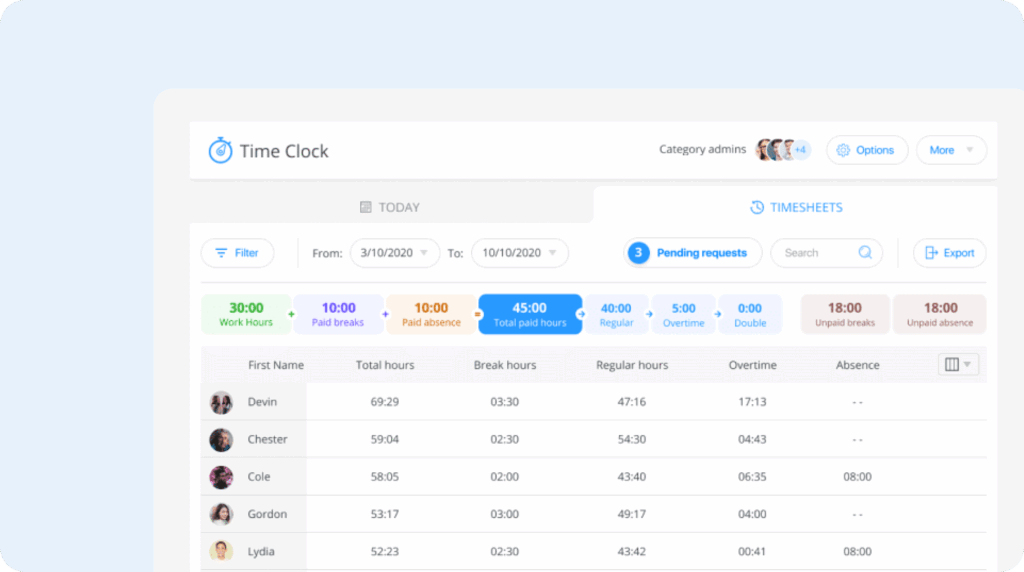
Connecteam is a workforce management platform with a generous free plan for very small businesses (those with 10 or fewer total employees). It doesn’t significantly limit the features you have access to on the free plan, so you get access to time tracking features that are usually only available in paid plans.
Best for:
Connecteam is best for businesses with 10 or fewer employees, particularly those that plan to stay small. It offers small businesses a great way to upgrade from manual time tracking without having to make room in the budget for a subscription time clock platform.
Key free plan features:
- Time tracking: Track time for employees working at a single location with timesheets created in the platform automatically.
- Project/job costing: Create unlimited project or job codes to track hours toward specific tasks or projects.
- GPS on clock in and out: Log employees’ locations to their timesheets when they clock in and out.
- Scheduling: Create employee schedules for a single location.
- Shift trades and covers: Let employees organize their own shift trades or publish unfilled shifts for anyone to claim.
- PTO tracking: Calculate time off balances automatically and let employees request time off for manager approval.
- HR features: Create training courses for your team and build an employee directory, org chart, and internal knowledge base.
- Team messaging: Send company, team, and one-on-one messages, or create and send surveys to employees for them to complete.
Payroll integrations:
Gusto, Paychex, ADP, and PrismHR
Pricing (as of September 2026):
Connecteam’s free plan offers all of the features above for up to 10 users at no monthly cost. For those considering subscribing to a paid plan, Connecteam offers a 14-day free trial where you can test drive all of its features before committing to a purchase.
Connecteam’s paid plan pricing is complex. Different features of the platform are sold in three different hubs, which each have four separate pricing plans. The Operations hub is where you’ll find the company’s time tracking and scheduling features; the Communications hub includes its team messaging, knowledge base, and help desk features; and the HR & Skills hub is where you’ll find PTO tracking and courses.
Free plan customers have access to features included in all three of these hubs, so if you want to upgrade to a paid plan from free, you’ll need to purchase a plan in all three hubs to retain the features you had on the free plan.
Below, we’ve listed the pricing for plans in Connecteam’s Operations hub, which contains its time tracking features. Other hubs have different plans with different pricing. All Operations hub plans plans include up to 30 users for the flat rate displayed.
| Plan | Starting price (annual pricing) | Features included |
|---|---|---|
| Basic | $29/month | Time tracking, project tracking, kiosk mode, alerts and reminders, geolocation timestamps, payroll integrations, and scheduling for one location |
| Advanced | $49/month | Everything in Basic, plus geofencing for up to 10 sites, custom report exporting, and scheduling for up to six locations |
| Expert | $99/month | Everything in Basic and Advanced, plus unlimited geofences, up to three automated reports, and scheduling for up to 12 locations |
| Enterprise | Custom pricing | Everything in Basic, Advanced, and Expert, plus unlimited automated reports and scheduling for unlimited locations |
Customer ratings (as of September 2026):
- 4.6 out of 5 overall on G2 across 3,505 reviews
- 4.6 out of 5 overall on Capterra across 5,310 reviews
- Features rating: 4.5/5
- Value for money rating: 4.5/5
- Ease of use rating: 4.7/5
- Customer service rating: 4.6/5
Limitations:
- Payroll integrations are limited, and there’s no option for built-in payroll.
- Features are scattered across 12 total plans in three different hubs.
Companies with computer-based employees looking for a free option might want to consider Clockify. It offers a free plan for up to five users, and while its free plan is more limited, it does let you integrate with popular project management platforms so employees can track their time in the systems they already have open all day.
Learn more about Connecteam
- Read our in-depth Connecteam review
- Compare Buddy Punch vs. Connecteam
- Discover the best Connecteam alternatives
5. Kimai – Best for companies that want to self-host their time clock software
Available on the web plus apps for Windows, macOS, Linux, iOS, and Android

Kimai is open-source time clock software that can be either self-hosted or cloud-hosted. It’s designed for knowledge workers and has features for time tracking, project tracking, invoicing, and expense tracking.
Best for:
Kimai is great for companies with technical resources that want to be able to build any features they need into their time tracking software — or companies that want to retain control over their data by self-hosting the software on premises rather than hosting their data on the cloud.
Key features:
- Time, project, and expense tracking: See how many labor hours were spent on billable and unbillable tasks and add expenses to clients.
- Invoicing: Create PDF and DOCX invoices that itemize labor hours and expenses.
- Open source: Build any features you need into the platform. Kimai has an extensive JSON API for reading and writing data.
- Client portals: Create secure spaces for individual clients where you can share project progress and costs.
- Multilingual: The entire platform is available in more than 30 languages.
Payroll integrations:
None
Pricing (as of September 2026):
If you self-host Kimai, you can use it for free with no limitations. However, some features, such as expense tracking, are only available as purchasable add-ons. The expense tracking add-on costs €99/year.
If you want Kimai to host your instance, you’ll have to pay a monthly per-user fee. You can try the cloud-hosted product for free for 30 days before committing to a purchase.
| Plan | Starting price (annual pricing) | Features included |
|---|---|---|
| Standard | €2.99/user/month | Project time tracking, billable hours, invoicing, and app translations |
| Professional | €3.99/user/month | Everything in Standard, plus expense tracking, customer portals, kiosk mode, and single sign-on |
Customer ratings (as of September 2026):
- 4.8 out of 5 overall on G2 across 6 reviews
- 3.6 out of 5 overall on Capterra across 7 reviews
- Features rating: 3.9/5
- Value for money rating: 4.3/5
- Ease of use rating: 3.6/5
- Customer service rating: 3.8/5
Limitations:
- No payroll integrations and no built-in payroll.
- Designed more for project time tracking than tracking hours for payroll.
6. 7shifts – Best for restaurants and other foodservice businesses
Available on the web plus apps for iOS and Android
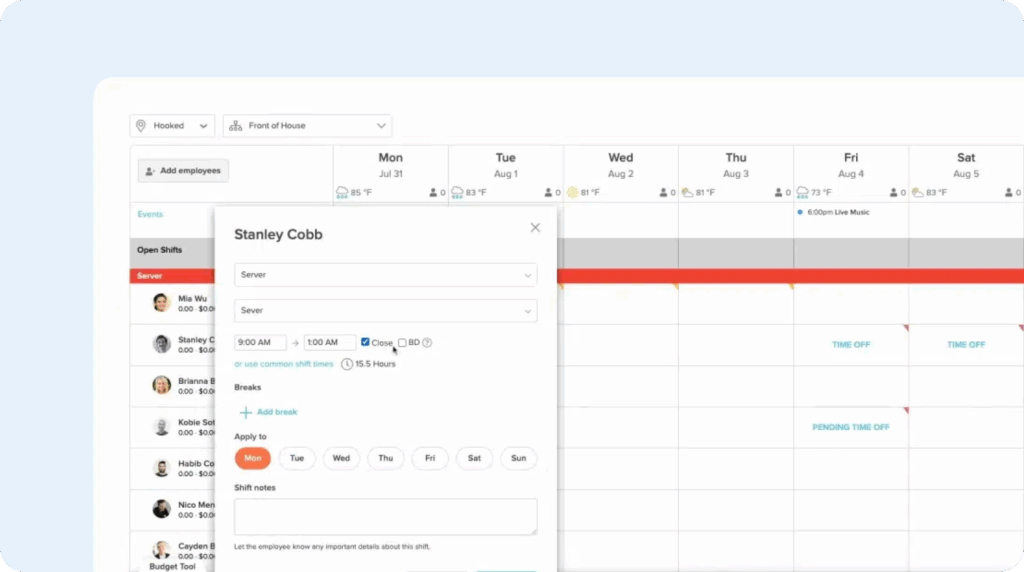
7shifts is a time tracking and employee scheduling tool that’s designed specifically for restaurants. Its time tracking features are pretty basic, but its integrations with nearly 40 point-of-sale (POS) systems allow it to aggregate your labor hours and sales data and use that information to create more effective employee schedules.
Best for:
7shifts is best for restaurants and other foodservice businesses whose biggest pain points lie with scheduling rather than time tracking. It does allow you to track employee hours via your POS system for payroll purposes, but its most advanced features are focused on simplifying scheduling and tip distribution.
Key features:
- POS integrations: Connect to nearly 40 point-of-sale systems to use your POS as a time clock and to add sales data to your scheduling system.
- Time tracking: Track hours and breaks, transform clock-in and clock-out data into timesheets, and edit timesheets when needed to correct entries.
- Schedule recommendations: The system uses historical sales data to provide recommendations for how many people in each role you need to have on staff for different days and times of day.
- Clopening alerts: The system will flag you when you schedule an employee for a clopening shift.
- Mobile apps: Employees can view their schedules on the mobile app and get alerts for upcoming shifts, upcoming breaks, and changes to schedules.
- Tip management: Require employees to declare their tips when they clock out and automatically distribute pooled credit card tips to employees.
- Team messaging: Message team members individually or in a group chat and see which team members have read an announcement you sent.
Payroll integrations:
ADP, Ceridian, Gusto, Heartland Payroll, Paychex, Paycom, Paylocity, Premier Payroll, QuickBooks, RASI, Toast Payroll, and Wagepoint
Pricing (as of September 2026):
7shifts offers a free plan for a single location and up to 15 employees, but it only includes basic scheduling; time tracking is not included on the free plan.
For paid plans, 7shifts offers a 14-day free trial where you can test drive all of its features before committing to a purchase.
| Plan | Starting price (annual pricing) | Features included |
|---|---|---|
| Essentials | $39.99/location/month for up to 30 employees | Time tracking, POS integrations, tip declarations, scheduling, and team messaging |
| Pro | $79.99/location/month for up to 60 employees | Everything in Essentials, plus payroll integrations, break tracking, PTO tracking, clopening alerts, and attendance tracking |
| Premium | $134.99/location/month + $6/employee/month for unlimited employees | Everything in Essentials and Pro, plus schedule recommendations, built-in payroll, and tip distribution |
Teams that want 7shifts’ tip management or built-in payroll features but don’t want to subscribe to the Premium plan can also purchase those features as add-ons for the Essentials or Pro plans. The tip management add-on is $49.99/location/month, and the payroll add-on is $39.99/location/month plus an additional $6/month for each employee you pay.
Customer ratings (as of September 2026):
- 4.5 out of 5 overall on G2 across 129 reviews
- 4.7 out of 5 overall on Capterra across 1,212 reviews
- Features rating: 4.5/5
- Value for money rating: 4.6/5
- Ease of use rating: 4.7/5
- Customer service rating: 4.7/5
Limitations:
- The platform’s foodservice focus makes it non-ideal for other industries.
- There are no time tracking features that help prevent time theft.
If 7shifts is pricier than you can afford to pay, a good alternative to consider is Homebase. Like 7shifts, Homebase charges per location rather than per user, but its per-location costs are lower. It also offers time tracking, scheduling, and payroll. However, Homebase doesn’t integrate with as many POS systems as 7shifts, so if you’re using a more niche POS, it may not connect to Homebase.
7. ClickTime – Best for professional services businesses
Available on the web plus apps for iOS and Android

ClickTime is a project time tracking and resource planning platform designed for professional services businesses. In addition to tracking employee time overall and against specific clients’ tasks and projects, you can also improve your forecasting and make sure projects stay on budget.
Best for:
ClickTime is best for agencies and other professional services businesses that are tracking time for planning, budgeting, and invoicing purposes more than for payroll. It’s also a good option for companies that don’t want or need the more invasive computer monitoring features of Time Doctor and Hubstaff.
Key features:
- Automated time tracking: AI monitors what employees do on their computers in order to automatically slot time toward the right client, task, and project.
- Billable and non-billable buckets: Employees can bill their time to both billable and non-billable codes, and managers can review that data to reduce the types of work you can’t bill for.
- Project estimating: Use labor hours from previous projects to inform new estimates for similar projects.
- Burndown reports: View actual hours/costs versus planned hours/costs in a burndown chart to catch risks for going over budget early.
- Capacity planning: View reports showing which team members have capacity to determine when you can take on new projects and when you’re all booked up.
- Integrations: Connect with common knowledge worker tools like Asana, Slack, GitHub, Zoom, Salesforce, and more.
Payroll integrations:
ADP and Rippling
Pricing (as of September 2026):
ClickTime does not offer a self-service free trial; you’ll have to request a demo to see the platform.
| Plan | Starting price (annual pricing) | Features included |
|---|---|---|
| Starter | $12/user/month for up to 25 users | Automated time tracking, basic billing rates, pre-built reports, and payroll exports |
| Team | $15/user/month for up to 200 users | Everything in Starter, plus advanced billing rates, project tracking, overtime tracking, billable vs. non-billable hours, PTO tracking, and integrations with Zapier, Jira, Google Calendar, and Outlook |
| Premier | $27/user/month for up to 200 users | Everything in Starter and Team, plus payroll integrations, capacity planning, and burndown reports |
| Enterprise | Custom pricing | Everything in Starter, Team, and Premier, plus custom integrations and professional services |
Additionally, ClickTime offers several add-ons for companies that want to expand the platform’s functionality. You can purchase an add-on for custom branding, ERP integrations, expense tracking, and DCAA compliance. Expense tracking is $4/user/month; pricing for the other add-ons is provided by ClickTime’s sales team. Nonprofit organizations can purchase the software at a discounted rate.
Customer ratings (as of September 2026):
- 4.6 out of 5 overall on G2 across 1,178 reviews
- 4.6 out of 5 overall on Capterra across 207 reviews
- Features rating: 4.3/5
- Value for money rating: 4.6/5
- Ease of use rating: 4.5/5
- Customer service rating: 4.7/5
Limitations:
- No free plan.
- No employee monitoring features.
8. Deputy – Best for automated scheduling
Available on the web plus apps for iOS and Android

Deputy is primarily an employee scheduling tool, but it does offer some time tracking features. The highlight of the platform is its automated scheduling, which uses historical sales volumes, customer traffic, labor patterns, and employee profile data to build new schedules for you automatically.
Best for:
Deputy is best for in-person teams at businesses with lots of employees working in different roles, a blend of full-time and part-time employees, or teams with high turnover. It’s a good option for restaurants like 7shifts but is also flexible enough to work for retail and hospitality businesses.
Key features:
- Automatic scheduling: Create schedules automatically using sales forecasts, employee availability, and employee profile data like roles and skills.
- Real-time labor costs: Managers can access a dashboard that uses time tracking and sales data to display labor costs in real time.
- Time tracking: Employees can clock in and out using your integrated POS or mobile apps. When using mobile apps, you can set up geofences to prevent offsite punching.
- Break and overtime tracking: Create custom break and overtime policies based on the states you operate in.
- Fair Workweek compliance: Generate a record showing your compliance with Fair Workweek laws and get alerts when scheduling employees for non-compliant shifts.
- Attendance tracking: Managers get alerts for late clock-ins, shifts that run longer than planned, and potential no-shows.
Payroll integrations:
ADP, Astute Payroll, Crystal Payroll, goPayroll, Gusto, HiBob, iPayroll, NetSuite, OnPay, Paychex, Paycom, Paycor, Paylocity, PayPlus, Payroll Vault, ProLiant, QuickBooks, Rippling, Sequoia, SimplePay, The Payroll App, Wagepoint, and Xero
Pricing (as of September 2026):
Deputy offers a 30-day free trial where you can test drive all of its features before committing to a purchase.
| Plan | Starting price (annual pricing) | Features included |
|---|---|---|
| Lite | $5/user/month | Basic scheduling and time tracking, geofences, PTO requests, pre-built reports, limited team messaging, Fair Workweek pay, and payroll integrations |
| Core | $6.50/user/month | Everything in Lite, plus auto-scheduling, facial recognition, PTO accruals, and POS integrations |
| Pro | $9/user/month | Everything in Lite and Core, plus PTO balance caps and rollovers, custom reports, custom alerts, unlimited messaging, and live chat support |
Deputy also offers payroll through Paycor. You can add it as an add-on for $8/user/month. Other add-ons let you add unlimited messaging to Lite and Core plans for $1.95/user/month, add talent management features to any plan for $2/user/month, or add advanced reporting to Lite or Core for $1.50/user/month.
Customer ratings (as of September 2026):
- 4.6 out of 5 overall on G2 across 666 reviews
- 4.6 out of 5 overall on Capterra across 773 reviews
- Features rating: 4.4/5
- Value for money rating: 4.5/5
- Ease of use rating: 4.5/5
- Customer service rating: 4.5/5
Limitations:
- No free plan.
- Geofencing applies to all team members with no per-employee customization.
If scheduling is your biggest headache but you can’t afford to pay Deputy’s rates, When I Work is a more affordable alternative. Its automatic scheduling feature isn’t quite as sophisticated as Deputy’s, but it does automatically assign employees to shifts based on their roles and availability.
9. QuickBooks Time – Best for connecting time tracking to accounting
Available on the web plus apps for iOS and Android

QuickBooks Time is Intuit’s own time tracking software, and as another Intuit product, it connects natively to QuickBooks Online and QuickBooks Payroll — no separate integration is required. Companies can use it to track employee and project time, build work schedules, and manage PTO.
Best for:
QuickBooks Time is best for companies that are already using QuickBooks Online (and possibly also QuickBooks Payroll). When you subscribe to multiple Intuit products, your data syncs between them automatically, so labor hours sync to QuickBooks Online for invoicing and costing purposes and to QuickBooks Payroll for paying hourly employees the right amounts.
Key features:
- Location and mileage tracking: Real-time GPS tracking lets you track employees’ travels the whole time they’re clocked in and also automatically calculates mileage.
- Automatic job costing: Create geofences around your job sites and connect them to job codes, and the system will automatically switch job codes for employees as they enter and leave geofences.
- Native Intuit integrations: Sync your time data to QuickBooks Online and QuickBooks Payroll automatically with no setup or integrations required.
- API: Create job codes, locations, employees, geofences, and more in bulk using an API.
- Employee scheduling: Color-code schedules by job and add as many custom fields as you need to shifts and schedules.
- Invoicing: Create invoices for clients and projects and send them from QuickBooks Time itself or sync them to QuickBooks Online to send from there.
Payroll integrations:
QuickBooks Payroll, ADP, Square Payroll, Paychex, OnPay, Justworks, and Payment Evolution
Pricing (as of September 2026):
QuickBooks Time offers a 30-day free trial where you can test drive all of its features before committing to a purchase. Note that you cannot subscribe to QuickBooks Time without a QuickBooks Online subscription.
| Plan | Starting price (annual pricing) | Features included |
|---|---|---|
| Time Premium | $10/user/month | Time tracking, invoicing, PTO management, alerts and notifications, and kiosk mode |
| Time Elite | $12/user/month | Everything in Time Premium, plus mileage tracking, job costing, GPS tracking, and timesheet signatures |
| Workforce Premium | $13/employee/month | Everything in Time Premium, plus full-service payroll and benefits administration |
| Workforce Elite | $17/employee/month | Everything in Time Elite, plus full-service payroll, benefits administration, and performance management |
Customer ratings (as of September 2026):
- 4.5 out of 5 overall on G2 across 1,448 reviews
- 4.7 out of 5 overall on Capterra across 7,022 reviews
- Features rating: 4.5/5
- Value for money rating: 4.6/5
- Ease of use rating: 4.6/5
- Customer service rating: 4.8/5
Limitations:
- No free plan.
- Can only be used by QuickBooks Online subscribers.
If you need mileage tracking but QuickBooks Time is a bit out of your price range, ClockShark might be worth considering. It offers mileage tracking on its Pro plan, which starts at $11.50/user/month when paying annually. However, keep in mind that you have to sign a three-year commitment when purchasing the tool.
10. Roll by ADP – Best for affordable payroll
Available on the web plus apps for iOS and Android

Roll by ADP is ADP’s small business payroll service. Its time tracking features are fairly basic; employees can clock in and out with the app or enter their hours manually, and you can turn on location services to collect location data at the time of the punch. The payroll service is more advanced, though, offering automatic payroll, the ability to pay employees and contractors, and same- and next-day direct deposit.
Best for:
Roll by ADP is best for small businesses that are planning to grow rapidly. It’s an affordable option for basic time tracking and payroll while you’re small, but it gives you the ability to roll over to ADP Workforce Now when you need more features. ADP Workforce Now is a complete HR platform for time tracking, payroll, scheduling, benefits and talent management, and more.
Key features:
- Basic time tracking: Employees can clock in and out using a mobile app or enter their hours into timesheets manually. Location tracking on punch is also available.
- Direct deposit: You can deposit employees’ wages into their bank accounts using either same-day or next-day direct deposit.
- Employee and contractor payments: You can use Roll by ADP to pay both W-2 employees and 1099 contractors.
- Tax filing: The system calculates federal, state, and local taxes for you, removes those taxes from paychecks, and sends tax payments to government agencies on your behalf.
- Tax documents: The system automatically creates end-of-year tax statements for employees and contractors and makes those available to them inside of the app.
Payroll integrations:
None
Pricing (as of September 2026):
Roll by ADP offers a three-month free trial where you can test drive all of its features before committing to a purchase. The platform only has one plan that costs $5/employee/month and includes all of the platform’s features.
Customer ratings (as of September 2026):
- 4.6 out of 5 overall on G2 across 22 reviews
- Not rated on Capterra
Limitations:
- No free plan.
- Payroll is available for U.S. companies and U.S.-based employees only.
Another low-cost option to consider if you just need basic time tracking but need a more robust payroll service is Gusto. It’s a bit pricier than Roll by ADP (plans start at $6/employee/month), but you can add scheduling and PTO management without having to switch to a different platform.
How to choose the best employee time clock for your small business
The first thing you’ll want to do when shopping for time clock software is put together a shortlist. Hopefully, the list of options above helped with that. Just start by writing down the names of any options you find interesting. You’ll narrow down the list in the next steps.
Next, you’ll want to compile a list of features you’d like to have. At this stage, just write down anything you think would be helpful. When you’re finished, decide which features on your list are must-haves, and which are nice-to-haves:
- Must-haves are table stakes, business-critical features that you can’t operate without.
- Nice-to-haves are things that you’d like but don’t absolutely need to operate effectively.
With this list of must-haves and nice-to-haves compiled, you can start narrowing down the options on your shortlist. Look at the features of each tool, and remove any that don’t include your must-haves.
Next is pricing and budget. Determine which of the tools on your list are priced within your budget. Remove any that cost more than what you can afford to spend.
A note on pricing: Make sure to spend extra time validating that the features you need are available at the price you can afford. Pricing for software tends to be incredibly vague, with many apps putting their most desirable features in higher-cost plans. Spend extra time at this stage looking closely at the plan comparison charts on each tool’s pricing page to see how much you’ll pay for the features you need.
After that, you can start to consider your nice-to-have features. Narrow your list down to three or so tools that offer the highest number of features you want at the most reasonable price.
From there, start a free trial and test the apps. You’ll want to make sure that the features work the way you expect them to and that everything you need is available. You might also want to try reaching out to the provider’s support team to make sure they’re responsive when you run into issues and need help.
Following this process, you should be able to find the perfect time clock software for your team.

