

What HR Software Gets Wrong for Construction Companies

Written By: Nick Murphy
Last Updated February 11, 2026
Most human resources (HR) software is built for desks, logins, and steady Wi-Fi, but construction teams live in a different reality. Crews are spread across job sites, schedules shift easily, dead zones are common, safety is paramount, and tight margins leave little room for mistakes in time, payroll, or job costing.
To handle these conditions, HR software for construction companies has to work a bit differently. We spoke with construction managers across the country to understand where HR software often fails and which field-ready alternatives work better.
Construction teams move around
Many traditional HR platforms assume employees clock in at the office and stay there all day, but this isn’t the case for construction crews. A single worker might visit two or three job sites in a day, switch job codes, or get pulled into urgent work.
This lack of visibility can lead to various issues for construction managers. It makes it harder to cost jobs, both for invoicing and payroll purposes, and to prevent buddy punching, early clock-ins, late clock-outs, and other forms of time theft. This results in tons of administrative work to reconcile payroll and timesheets after the fact, with managers retroactively assigning labor.
That’s why many construction managers now use construction time card apps with GPS-enabled clock-ins and geofencing.
For example, Buddy Punch allows managers to see who’s at what job site with real-time employee location tracking. You can log their locations on clock in and out, track them in real-time throughout the workday, or even set up geofences to prevent them from punching in or our when they’re not on site.

What’s more, you can combine geofences with job codes for simple, location-based job costing. This is a huge plus for construction managers with mobile workers.
“My crews move at a good pace,” explains Tyler Hull, founder of Modern Exterior. “If one of my guys punches in at 10:00 a.m. and finishes up work on a separate job site at 11:05 a.m. only five blocks down the road, I need to know that — especially if that job is an incentive-to-perform, progress billing type job.”
That 20-minute variance between actual field work and what’s recorded in the system bled into Hull’s project margin reports. It wasn’t unusual to find up to $800 in invisible labor, unaccounted for in timesheets but going out on payroll nonetheless.
“I underestimated a roof replacement by $1,200 because our backend reported six labor hours short, based on the project time clock. Things like this happen,” says Hull. “They accumulate, but a quality software solution should present you with a cleaner figure instead of homework.”
Some mobile apps don’t work well in the field
Some HR platforms technically offer mobile apps, but most are just scaled-down versions of the desktop app. Small buttons, nested menus, long forms — that just doesn’t work when someone’s standing in a busy lot with gloves on.
Daniel Vasilevski, Director at Pro Electrical, puts it plainly: “Office tools are built for a mouse and keyboard, not a dirty touchscreen.” Technicians using safety gloves need large buttons, high-contrast text, and one-handed use. Anything more complicated leads straight back to paper notes and payroll cleanup.
In addition to being physical, construction work is loud and fast-paced. If clocking in takes more than a few seconds, workers rush through punches, forget them entirely, or enter time later from memory.
Itay Simchi, Founder of Proven House Buyers, has seen the downstream impact firsthand. Poor mobile usability once turned his team’s payroll into a “full-day cleanup exercise,” with disputes and corrections that wasted hours.
So, what works well?
Mobile apps with fast, one-tap clock-in and clock-out — plus only the tools workers really need, such as scheduling, shift covers, and time-off requests. The goal is minimal interaction; it should be quick and easy to get buy-in from workers.
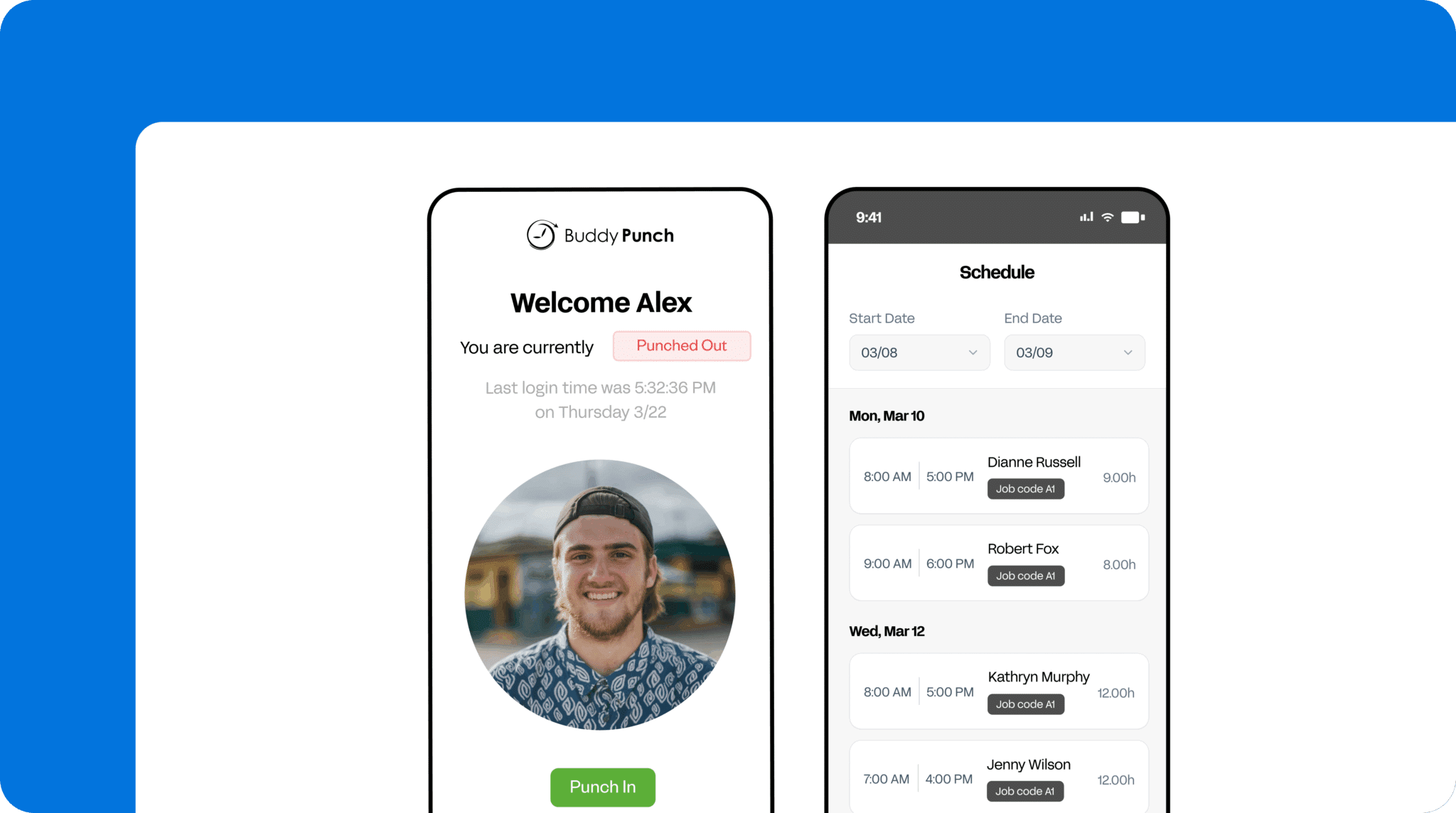
Schedules can change suddenly
Construction schedules change constantly — weather shifts, materials arrive late, and emergency call-outs pull crews across town. Handwritten or printed schedules and even spreadsheets often fall apart by mid-morning.
As Branden Wells, CEO of TrueCraft Construction, explains, traditional HR systems simply move more slowly than construction work does. If a schedule change takes minutes instead of seconds, the foreman has already reassigned work via phone or text. That messes up job costing and makes it harder for owners to know where people are. It can also lead to surprises over time, which a construction manager does not want to see on payroll unnecessarily.
The best scheduling apps for construction make a world of difference for managers and workers. For example:
- Real-time updates and notifications mean managers can ditch text messages and crews see changes instantly on their phones.
- Drag-and-drop schedule builders with built-in conflict and overtime alerts make reworking the day simple while helping managers monitor safety and costs.
- Employee self-service tools really simplify crew management. Workers can request their own shift covers and trades, subject to admin approval. The best tools also let employees update their own availability, making it easier for managers to find replacements and additional crew as needed throughout the day.
On its own, each of these benefits may not seem life-changing. But together, they make it much simpler to manage multiple sites where delays, weather, injuries, and changes in job specifications turn static schedules into a nightmare and timesheets end up looking nothing like what’s on your screen.
Compliance and risk are big deals for construction teams
In the construction industry, workplace safety and compliance are paramount. Construction companies need to ensure workers have the right skills and qualifications for the job, that breaks are taken as required, and that the right people show up for the job.
Many traditional HR platforms get some of this right, but few get it all. That can lead to dangerous situations for workers and put companies at risk of fines or lawsuits.
The managers we spoke to highlighted a few key features they look for.
First, schedules should make it clear who’s qualified for each role and ensure all essential skills are covered. Buddy Punch addresses this issue by letting you assign different roles to workers, so you receive an alert if you try to schedule someone for the wrong position. There’s no limit to the number of positions you can create and assign, so you can cover pretty much every scenario. If people are assigned to the wrong job or location, you’ll get an alert.
There’s also the option to view the schedule by location or position, so managers can see what’s covered for each day and job site. Plus, Buddy Punch will send alerts and notifications for no-shows and late clock-ins, enabling you to spot when essential workers (like a foreman or electrician) are missing from the site.

Another aspect of compliance is breaks; they keep workers alert and are required by law in some states. Good HR software for construction companies should make it easy to assign break rules (e.g., one 30-minute paid break and one 15-minute unpaid break per eight-hour shift) and track breaks throughout the day.
Lastly, HR software for construction teams should extend employee accountability beyond reducing time theft.
Workers may sometimes feel compelled to cover for a sick or absent friend or colleague, but in the construction industry, that’s a serious safety concern. You need to know the right person has shown up for their shift. Modern HR apps for construction crews address this issue with clock-in security features like photos on punch and facial recognition (which is harder to dupe).
Without these features, HR software simply can’t respond to the compliance and safety requirements of the construction industry.
Adoption matters more than features
The number-one rule when it comes to good HR software — or any software, for that matter — is that it’s no good if people don’t like using it.
“I have seen many firms invest in HR software only to see their adoption levels reduce to almost zero in just a few months,” Brendan Wells, CEO and founder of TrueCraft Construction, tells Buddy Punch.
“The biggest issue is that most platforms were developed by individuals who have never been on a work site. HR software shouldn’t be an extra burden for your team. The functionality of the interfaces is irrelevant if your field crew isn’t using it.”
To pick a platform your team will adopt, there are two things to look for:
- A simple, mobile-first interface. Forget the bells and whistles; ignore the complicated menus. Instead, go for simple buttons, simple displays, and simple workflows.
- A free trial. No piece of software is going to work for every team out there, so you should test out apps yourself whenever you can. Create an account, download the mobile app, and see what the features are like. Get a few of your crew members to try it out, too. There’s always a learning curve, but the basics — checking a schedule, punching in, requesting a shift change, updating availability, and sending time-off requests — should feel natural and intuitive.
Buddy Punch: HR software that “just works” for construction companies
Construction work is different from any other industry. With mobile crews, specialized skills and safety requirements, tough working conditions, and job sites subject to changing weather and schedules, the wrong software can lead to a range of problems.
Field-ready software needs to deliver strong location-based visibility and attendance tracking, flexible scheduling that works for managers and workers, and job costing that makes sense for construction crews. It also needs a simple, reliable mobile app and time-tracking that prevent time theft.
Buddy Punch was built with construction companies in mind and is proud to serve crews such as Greenstar Group, SEC, JP Concrete, Cahill, and many others around the U.S.
Contributors
- Itay Simchi, Proven House Buyers, Founder
- Daniel Vasilevski, Pro Electrical, Director/Owner
- Curran Clark, ContractorNerd, Co-Founder
- Jake Fry, Smallworks, CEO
- Branden Wells, TrueCraft Construction, CEO and Founder
- Tyler Hull, Modern Exterior, Founder and General Manager

