
The 8 Best Direct Deposit Payroll Software in 2026

Written By: Brooke Flemming
Last Updated May 26, 2026
Direct deposit payroll software makes life easier for you and your employees alike. You no longer have to spend time and money printing paper checks and distributing them to employees, and employees don’t have to go to the bank and wait for your check to clear before they can access their money.
If you’re ready to migrate to a payroll system that lets you put employees’ wages directly into their bank accounts, we’ve compiled this list of the eight best direct deposit payroll software, with detailed reviews explaining who they’re best for and how much they cost, to help you find the right option for your business.
| Platform | Summary | G2 Rating | Starting Price | Base Fee |
|---|---|---|---|---|
| Buddy Punch | Buddy Punch includes time theft prevention features that keep your payroll accurate, and its combination of time tracking and payroll features makes running payroll faster than ever. | 4.8/5 | $12.99/user per month (includes time tracking and payroll) | $68/month |
| QuickBooks Payroll | QuickBooks Payroll is the natural companion for heavy QuickBooks Online users since the two systems work in tandem to bring all of your accounting operations together. | 4.4/5 | $6.50/employee per month (also requires a QuickBooks Online subscription) | $88/month |
| Gusto | Gusto offers an affordable plan for small businesses operating in a single state, solopreneurs paying themselves as an S-Corp, and businesses that only need to pay contractors. | 4.6/5 | $6/person per month for single-state payroll; $12/person per month for multi-state payroll | $49/month for single-state payroll; $80/month for multi-state payroll |
| Square Payroll | Square Payroll lets retail shops, restaurants, and salons run payroll using the same point of sale system they use to accept payments from customers and track time for employees. | 4.2/5 | $6/person paid per month | $35/month |
| Rippling | Rippling is a complete HRIS platform designed for software companies with features for payroll, accounting, HR, and IT operations management, plus lots of automation capabilities. | 4.8/5 | Contact for pricing | Contact for pricing |
| Justworks | Justworks has an affordable payroll-only plan, but its real highlight is its PEO plans that give small businesses access to benefits normally reserved for enterprise organizations. | 4.6/5 | $8/employee/month | $50/month |
| OnPay | OnPay has out-of-the-box features for companies with complex tax filings, such as farms, churches, and restaurants, and there’s a 50% discount offered to nonprofits. | 4.8/5 | $6/worker/month | $49/month |
| Netchex | Netchex handles payroll and taxes for businesses with hourly workers, like restaurants and hotels, and claims to answer 90% of support calls in under a minute. | 4.4/5 | Contact for Pricing | Contact for Pricing |
1. Buddy Punch – Best for combined time tracking and payroll
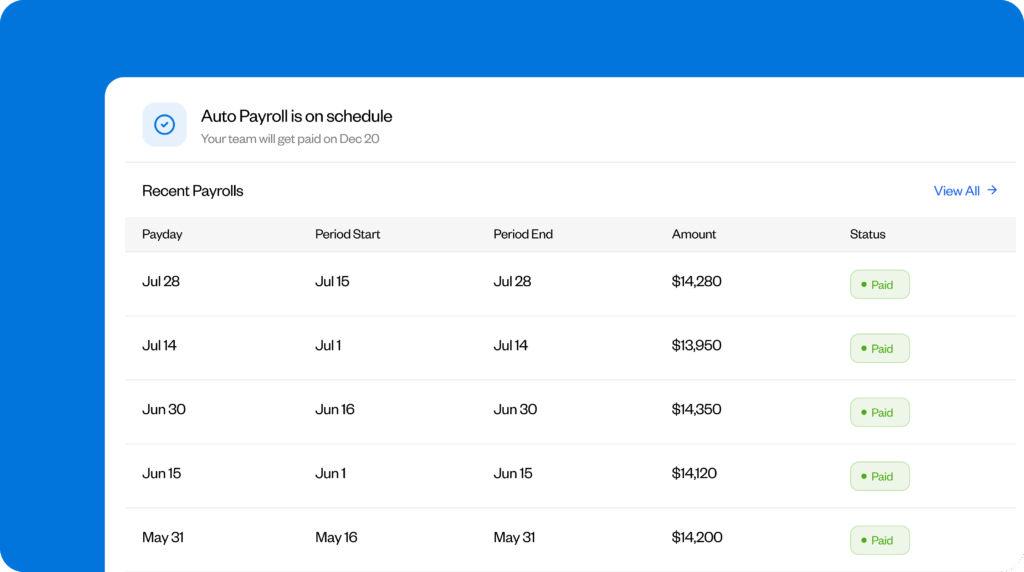
Buddy Punch is a combined time tracking and payroll system that’s designed for U.S. employers with hourly workers. It’s easy to use even for your least tech-savvy employees, affordable for small businesses with tight budgets, and has exceptional U.S.-based customer support on hand when you need help.
As a time tracking tool, employees clock in and out using the Buddy Punch app (available for the web, iOS, Android, and ChromeOS). Everyone’s hours are compiled into timesheets, and hours and overtime are automatically calculated for you. There are also plenty of features to help you ensure your timesheets are accurate: have managers approve timesheets before running payroll, set up geofences or IP address locks to block employees from clocking in offsite, and use photo clock-ins to prevent buddy punching.
Since you already have all of your time-tracking data in Buddy Punch, paying your employees is quick and easy. Simply import your time data into the payroll feature, do a final review of your time data, add custom earning rates or make adjustments if necessary, and choose how you want to pay employees: via direct deposit or mailing them a paper check.
When all edits are complete, you can preview your payroll to see a quick breakdown of all of your employees’ and contractors’ pay along with your cash requirement. Finally, submit your payroll to start its processing. You’ll be able to see the status of the payroll at any time, whether it’s pending, drafted, or paid, from the dashboard. Buddy Punch offers either two-day or four-day payroll processing.
You can download a payroll journal if needed from completed pay periods, track tax deposits, and access or download important filing authorizations (like Form 941). Buddy Punch automatically calculates and withholds any deductions (taxes, benefits, etc.) from employees’ paychecks, and employees can update their profiles at any time to change their bank account details, addresses, or tax withholding forms.
Contractors can also be paid using Buddy Punch. When you create a new employee profile, simply select whether they’re a W-2 employee or a 1099 contractor. This lets Buddy Punch know not to remove taxes or other benefits from contractors’ payments.
Pros
- Built-in time-theft prevention features ensure you’re paying employees properly.
- Having time tracking and payroll in one system saves time on running payroll.
Cons
- Payroll can not be used alone; both time tracking and payroll are required.
- Payroll is only available for U.S.-based companies and employees.
Pricing
Free trial available. View Buddy Punch’s current pricing.
Learn more about Buddy Punch
- Start a free trial — no credit card required
- Watch a video demo
- Take an interactive product tour
- Request a personalized demo
2. QuickBooks Payroll – Best for QuickBooks Online customers

If your company is already heavily invested in other Intuit products like QuickBooks Online or QuickBooks Time, QuickBooks Payroll is a natural fit. All of the company’s systems work together seamlessly to pass data back and forth between them, consolidating all of your accounting operations into one platform. Plus, if you’re already a QuickBooks Online subscriber, QuickBooks Payroll is a reasonably affordable option.
QuickBooks Payroll handles all aspects of running payroll for you. They’ll calculate garnishments and deductions, file and pay your payroll taxes, and deposit employees’ wages directly into their bank accounts. Next-day direct deposits are available on all plans, and same-day direct deposits are available on higher-tier plans. The system can be used to send payments to both employees and contractors.
If you’re using QuickBooks Time for time tracking, employees’ timesheets will automatically appear in QuickBooks Payroll. If you’re using another system for time tracking, you’ll need to do one of three things: 1) enter the data manually, 2) upload a CSV file that’s formatted according to QuickBooks Payroll’s requirements, or 3) use a QuickBooks integration offered by your time tracking software provider.
QuickBooks Payroll also makes it easy for your employees to add, update, and change their information as needed. They can log into the platform to view their paystubs, update their bank account information, and enter their tax info. W-2s and 1099s are generated automatically at the end of the year, and employees can access those as well in the employee self-service portal.
Finally, QuickBooks Payroll offers a few additional, non-payroll features that could be useful for your business. Through their partners, you can offer employees a 401k and/or insurance benefits. As a business, you can also purchase Workers’ Comp insurance. Fees for any employee benefits are automatically deducted from employees’ wages and paid for by Intuit out of your company accounts.
Pros
- The per-user cost is affordable for existing QuickBooks Online customers.
- Consolidates all accounting into one system if you’re using multiple Intuit products.
Cons
- You must subscribe to QuickBooks Online to use QuickBooks Payroll.
- The system can only be used for payroll; time tracking requires a separate subscription.
Pricing
Free trial available. View QuickBooks Payroll’s current pricing.
3. Gusto – Best for small businesses operating in a single state

Gusto is an affordable option 1) if you’re only paying 1099 contractors or 2) if you’re operating in a single state with employees who all live in that state. Its $6/person per month rate for its Starter plan is one of the lowest of any of the tools on this list. This makes it a great option for small businesses that plan to stay small, but it’s also worth considering if you’re a new business that only plans to hire contractors in the immediate future.
In terms of payroll, you’ll get access to the same general features as the other tools we’ve looked at on this list: automatic tax withholdings and payments, employee direct deposit, and an employee self-service portal. You can run payroll as often as you want; there are no limits on payroll runs or additional fees for running payroll frequently. Next-day, two-day, and four-day payroll runs are all available.
Gusto has a Solo plan for solopreneurs running an S-Corp that only need to pay themselves, and for businesses that only need to pay 1099 contractors, you pay only the $6/person fee — no base fee is charged. You can pay both U.S.-based and international contractors using Gusto. For international contractors, there’s no user fee, but you do pay a transaction fee for all payments sent.
Gusto also includes some other workforce management features in its platform beyond payroll processing. On the Starter plan, employees can request PTO in the employee portal, and managers can approve those requests. Approved time off automatically syncs with payroll. Time tracking and employee scheduling are also available on the Plus plan ($12/user per month) or as an add-on ($6/user per month) to the Simple plan (though the per-user cost with the add-on is the same as the cost of the Plus plan).
Finally, Gusto also offers several additional HR-focused features. On the Starter plan, they’ll file new hire paperwork with the state on your behalf and send signable offer letters to employees you want to hire. On higher-cost plans, you get an applicant tracking system, can build an org chart, get access to email and software provisioning tools, and can manage employee performance and compensation.
Pros
- Gusto is affordable for small businesses operating in a single state or only paying contractors.
- A Solo plan is available for solopreneurs running S-Corps who need to pay themselves.
Cons
- The system is primarily designed for paying U.S.-based employees; international employees can only be paid as contractors.
- The cost of plans jumps rapidly if you need to pay employees in more than one state or want to add HR or workforce management features.
Pricing
Free until you run your first payroll. View Gusto’s current pricing.
4. Square Payroll – Best for businesses using Square’s POS system

If you’re already using Square’s point-of-sale (POS) system to accept payments from customers at your retail store, restaurant, or salon, Square Payroll lets you add payroll processing and direct deposit without having to onboard and learn a new system. You can import employees’ time and tips into payroll from your Square dashboard, then pay employees via direct deposit, paper checks, or Cash App.
If you’re already paying for Square’s Plus or Premium plans for its POS software, time tracking is built in, so all you have to do to run payroll is import that data into Square’s payroll system. Since Square also already has your employees’ tip data, tips are imported into payroll and included in employees’ paychecks as well. Tips can be paid to individual employees or pooled between and distributed to all clocked-in employees.
Like the other tools on this list, employees can use your POS or the Square mobile app to enter the details you need for payroll, including their bank account information, home address, and W-9s. You can use the system to pay both employees and contractors. Unlimited payroll runs are included for the base plan price, taxes are automatically calculated and filed for you, and W-2s and 1099s are created automatically.
By default, new customers will get four-day payroll processing, but you can apply with Square to get a two-day processing option. There’s also an option for next-day payroll processing, but it requires you to have the money required for payroll in your Square account. Your Square balance can also be used to pay taxes and benefits, but it’s only available if you use Square Checking for your bank account.
Beyond payroll, Square also has several other features that are appealing for small businesses. With all of your sales and payroll data synced in a single system, you can get detailed reports and insights on your labor costs. You can even use the system to minimize your labor costs up front with Square’s employee scheduling feature which shows you a projection of your labor costs as you build work schedules.
Pros
- Square Payroll is a low-cost option for businesses already using Square’s POS.
- Having sales, time tracking, and payroll in one place gives you detailed insights into labor costs.
Cons
- Square Payroll is only available if you use Square’s POS — it cannot be purchased separately.
- The product is designed for sales-based businesses (retail shops, restaurants, salons, etc.), so its features won’t make sense for businesses in other industries.
Pricing
No free trial offered. View Square Payroll’s current pricing.
5. Rippling – Best for software companies

Rippling’s payroll software is ideal for software companies. It lets you pay U.S.-based and international employees, integrates with more than 600 third-party apps, and has AI built into every aspect of the platform. It’s also extremely scalable. If you just need payroll, that’s fine, but you can also add on products for hiring, software provisioning, time tracking, accounting management, and more when you need them.
When you add a new employee or contractor to Rippling, it automatically emails them, prompting them to provide any data you need in order to pay them. They’ll choose how they want to be paid (direct deposit or check), fill out their employee profiles and tax forms, and get a login they can use to access their paystubs, update their personal information, and download their 1099s or W-2s when it’s time to file taxes.
Rippling’s integration with Carta also simplifies equity management. When a new hire is onboarded into Rippling, the system syncs with Carta to tell it to automatically create vesting schedules for that employee. And it works the same when an employee is let go, telling Carta to terminate future awards and vesting. You also get access to compensation data from 40,000 startups to help determine what to pay employees.
Rippling’s built-in AI has access to all of the data in your system and can use that data to answer complex questions so you don’t have to dig through reports to find the answers you need. You can ask questions like “Why was overtime so high last quarter,” and it will show detailed information like which departments and individuals had the most overtime so you can take action immediately.
There’s a lot more automation baked into the platform, too. Using Rippling’s IT management module, you can automatically provision and deprovision hardware and software for new/terminated employees. There’s a library of pre-built workflow templates you can use to set up payroll and reporting automations without writing any code. And state tax registration is completed automatically when you add employees.
Pros
- The platform is designed to save you time with lots of opportunities for automation.
- Rippling has Employer of Record entities set up for paying international employees.
Cons
- Pricing is not publicly available and is likely much more expensive than the other tools on this list.
- Rippling Payroll is not sold as a standalone product; you must also subscribe to the core platform.
Pricing
No free trial offered. Contact Rippling for pricing.
6. Justworks – Best for small businesses that want PEO benefits

Justworks is unique in that it has two different offerings: payroll only, or payroll plus Professional Employer Organization (PEO). Its payroll-only offering is competitive with other tools in this list: at $8/employee per month for multi-state payroll, it’s a more affordable option than Gusto. It also includes basic time and PTO tracking features, though its time-tracking system is not as robust as what you get in Buddy Punch.
The PEO offering is what makes Justworks unique on this list. Under PEO co-employment, Justworks becomes the legal employer of record alongside your business; they handle payroll taxes, benefits administration, and compliance under their own master plans. In exchange, your small business gets access to large-group health insurance rates and hands-on HR support when you have questions.
As a PEO member, you can offer your employees benefits normally reserved for large companies: good health insurance, 401k retirement plans, HSA/FSA withholdings, and mental health and fertility benefits. Workers’ Comp is included in all PEO plans, and you get Employment Practices Liability Insurance to protect you against employee lawsuits. Justworks also has Certified PEO status with the IRS.
You also get access to lots of resources to help you manage your HR operations. PEO plan customers get 24/7 support from active HR professionals who are familiar with federal, state, and local laws and requirements. The company also sends you updates when employment laws that apply to your business change so you can stay compliant and avoid incurring unexpected fines for non-compliance with laws.
As far as its payroll system goes, Justworks lets you pay U.S. employees in multiple states, customize your payroll periods, and make off-cycle payroll runs. Contractor payments are available as an add-on with additional costs. Employee paystubs and W-9s are available electronically in the platform, and Justworks takes care of all of your payroll tax filings for you regardless of which plan you subscribe to.
Pros
- PEO plans get small businesses access to enterprise-level benefits.
- Individualized support from HR professionals is available 24/7 on PEO plans.
Cons
- Justworks’ time tracking feature is fairly limited, making it a poorer choice for businesses with hourly employees.
- PEO plans are expensive, ranging from $79-$109/month per employee.
Pricing
No free trial offered. View Justworks’ current pricing.
7. OnPay – Best for niche industries that require specialized tax handling

OnPay is a strong option for businesses in industries with unique tax handling requirements, such as agriculture, nonprofits, restaurants, and religious institutions.
OnPay supports agricultural payroll with Form 943 filings and H-2A visa worker requirements. For churches and ministries, you can mark clergy members as exempt from FICA (Social Security and Medicare) taxes with one click. For restaurants, OnPay supports tipped employees, tip credits, minimum wage rules, and multiple pay rates, and nonprofits get a 50% discount on OnPay’s pricing.
One great thing about OnPay is that it has just a single payroll plan, so there’s no need to constantly upgrade to higher-cost plans to get access to the features you need. The Payroll Essentials plan lets you pay W-2 and 1099 employees, run payroll in multiple states, and file federal, state, and local taxes. You get unlimited payroll runs, and the system auto-generates W-2s and 1099s at the end of the year for you.
OnPay’s Payroll Essentials plan does come with a basic set of HR tools that includes onboarding checklists, new hire offer letters, and document storage. There’s also an HR add-on you can purchase to get access to PTO management, org chart building, and equipment and software provisioning. However, there is no time-tracking feature, so you’ll have to purchase a separate tool if you need to track time.
In terms of time tracking integrations, OnPay has pre-built connections to QuickBooks Time, Deputy, and When I Work. If you use a different system for time tracking, you’ll have to download your time reports and upload them to OnPay, making sure your CSV or Excel file is formatted properly to import the data correctly. This can make payroll take longer than systems where time tracking and payroll are both built-in.
If you have any employees who require specialized tax treatment, OnPay’s industry expertise can save you hours of tax research and help you avoid costly compliance mistakes. The platform isn’t as robust as some of the other tools on this list, but it’s reliable, fairly priced, and built to handle the edge cases that trip up more general-purpose payroll software.
Pros
- OnPay handles complex tax scenarios for agricultural workers, clergy, and tipped employees.
- A 50% discount is available for nonprofits on top of OnPay’s already-affordable plans.
Cons
- There’s no built-in time tracking, and OnPay only offers integrations with three time tracking platforms, which can make payroll take longer to run.
- Only basic HR features are offered for tasks like creating org charts and onboarding employees.
Pricing
Free trial available. View OnPay’s current pricing.
8. Netchex – Best for businesses with hourly workers

Netchex is payroll and HR software built for businesses with hourly workers, like restaurants, hotels, car dealerships, and healthcare facilities. Its biggest selling point is support: every client gets a dedicated account manager, the support team is based in the U.S., and Netchex says 90% of support calls are answered in under a minute. Netchex also reports a 97% customer satisfaction (CSAT) score.
Netchex has built-in time-tracking software, so approved hours go straight into payroll without your having to manually import anything. Netchex calculates employee pay and federal, state, and local tax withholdings, which you can review before running payroll. Netchex sends your payroll taxes to the correct agencies, files your quarterly returns, and prepares W-2s and 1099s at the end of your fiscal year.
Employees can choose how they get paid when they complete their new hire paperwork, whether it’s via direct deposit, a pay card, or paper checks. They can even request advance pay for worked hours with the “earned-wage access” feature.
If you switch from another payroll provider, Netchex says it’ll setup your account for free, which usually takes about six weeks. As part of setup, the Netchex support team will move your data over and run simulated, test payrolls before taking your account live. Also during setup, each new customer gets assigned a dedicated account manager who will walk you through Netchex’s features and reports.
When you’ve got questions, Netchex provides a U.S.-based support team whose staff are certified by PayrollOrg (formerly the American Payroll Association).
Netchex offers integrations with over 90 providers, including 20+ accounting systems, 401(k) platforms, PoS systems, benefits providers, and more. If you connect QuickBooks Online, Netchex will automatically post journal entries for wages, taxes, and deductions. Plus, you can split entries by department or location.
Pros
- Payroll, time tracking, hiring, and HR live in one natively integrated platform.
- Every client gets a dedicated account manager and fast, U.S.-based phone support.
Cons
- Pricing isn’t published and there’s no free trial, so you’ll need a sales call to learn what it costs.
- Some G2 reviewers find the reporting tools clunky and say customization options are limited.
Pricing
No free trial offered. Contact Netchex for pricing.
Choosing the best direct deposit payroll software for your team
The best direct deposit payroll software for your business will depend on your unique needs:
- If you want to consolidate time tracking and payroll into one easy-to-use and affordable platform, Buddy Punch is a great option.
- If you’re already using QuickBooks Online or Square’s POS system, QuickBooks Payroll or Square Payroll let you sync your payroll data across the systems you’re already using day-to-day.
- Gusto is a great option for software companies that are just starting out, and Rippling is the natural upgrade for scaling software companies.
- Justworks’ PEO plans are a good choice if you want to offer benefits usually reserved for larger businesses and get live, hands-on support when you have questions.
- OnPay is an affordable option for any business looking for simple payroll software, and its features for niche industry tax filings also make it appealing for agriculture, nonprofits, and restaurants.
Whichever option you go with, spend the time needed upfront to make sure it’s right for your organization. Switching payroll providers later can cause a lot of rework and headaches — and delay your ability to pay your employees — so make sure you do your due diligence and explore the tools you’re considering fully before making a choice.

