
The 9 Best Retail Payroll Software: Reviewed & Compared

Written By: Mark Fairlie
Last Updated June 17, 2026
Running payroll in a busy retail business is complicated. At the start of the week, you have a staffing plan for each branch. But by Friday, you’re having to pull together a week’s worth of changes that store managers sent over at the last minute.
You’ve also got to correct missed or incorrect clock-ins and account for staff who’ve urgently covered for each other in different branches. This gets even harder during festive seasons, when there’s extra staff to deal with and everyone’s working longer hours.
And you have to work out everyone’s commissions again when store managers send you the final refund and return figures.
Many small and mid-sized retailers now rely on payroll software to cut back on these last-minute manual calculations. In this article, I review the nine best retail payroll software and identify the best use case for each one.
| Platform | Best for | G2 rating | Free trial | Starting price |
|---|---|---|---|---|
| Buddy Punch | All-in-one payroll, scheduling, and time tracking | 4.8/5 | 14 days | $12.99/user/month |
| Square Payroll | POS-linked commissions, tips, and bonuses | 4.2/5 | Not offered | $6/person/month |
| UKG | Employees working across stores, jobs, and pay rates | 4.3/5 | Not offered | Contact for pricing |
| Rippling | Seasonal hiring and rehiring across stores | 4.8/5 | Not offered | Contact for pricing |
| Paychex | Multi-state retail payroll | 4.1/5 | Not offered | Contact for pricing |
| QuickBooks Payroll | Linking retail payroll to accounting | 4.4/5 | Not offered | $6.50/employee/month |
| SurePayroll | Shop owners running their own payroll | 4.4/5 | Not offered | $7/worker/month |
| Gusto | Retailers with high staff turnover | 4.6/5 | Not offered | $6/person/month |
| Paycom | Mid-sized retailers with small payroll teams | 4.5/5 | Not offered | Contact for pricing |
1. Buddy Punch – Best for connecting payroll to scheduling and time tracking
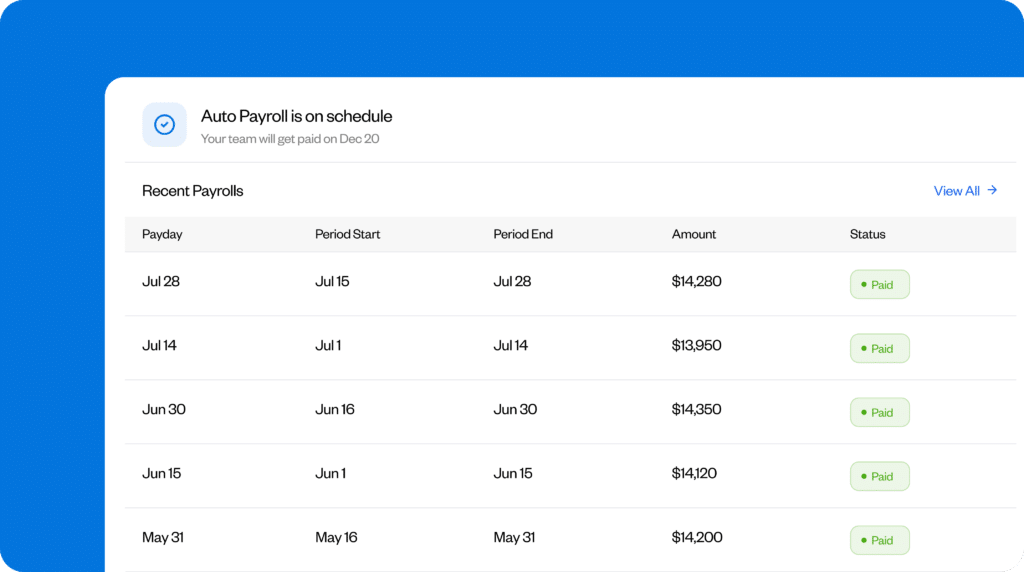
Buddy Punch is an easy-to-use and affordable payroll solution that’s particularly useful for retailers who want to manage payroll, employee scheduling, and timekeeping from the same app.
I like how Buddy Punch connects these functionalities together. Store managers can start by building schedules for their own locations, and head office can create, change, or oversee schedules across the whole business — in case one store needs extra cover or a manager is away.
Each clock-in and clock-out updates the employee’s timecard. Staff can punch in through their mobile app, a shared kiosk, QR code, and more. You can also use geofencing to make sure they’re at the right store when they punch in.
Buddy Punch keeps regular hours, overtime, and PTO separate on the timecard. You can give each store manager permission to check and approve their own team’s hours before the totals reach head office, so you keep control of what’s accounted for in the final pay run.
And if you’re using Buddy Punch Payroll, you can directly import the approved hours from timecards into the pay run, then add any bonuses, commissions, reimbursements, and other earnings before checking the final figures.
I found the Buddy Punch mobile app helpful. New employees can enter their personal, tax, and payment details and complete their onboarding themselves. They can also view their paystubs and download their year-end tax forms by logging into their account. This saves you from manually having to collect these details or send paystubs and tax forms to employees at each store.
Pros
- Store managers can check and approve their own team’s hours, with head office controlling the final pay run.
- Import approved hours into Buddy Punch Payroll without entering the same figures repeatedly.
Cons
- Employees can only access paystubs via the website and not via the app.
- Changing bank details requires an administrator to run the onboarding process again.
Pricing
To access the payroll function, you need to sign up for any Buddy Punch plan, which starts at a base fee of $19 per month plus $4.99 per user per month (billed annually). The Payroll add-on is available for $49 per month plus $8 per user per month (billed monthly).
Learn more about Buddy Punch
- Start a free trial — no credit card required
- Watch a video demo
- Take an interactive product tour
- Request a personalized demo
2. Square Payroll – Best for POS-linked commissions, tips, and bonuses

If you’re already using Square POS, Square Payroll can automatically calculate staff members’ wages and estimated commissions based on the POS data.
For each employee, set their pay and commission rates on the system. I appreciate how you can either assign a flat percentage as commission or create tiers based on their sales. You could offer 1% on sales of up to $10,000 and 1.5% if they sell more than that, for example.
When someone makes a transaction at the counter, Square automatically applies the assigned commission to their pay. But note that the record gets locked after the sale is completed. So it’s important that before closing the transaction, managers double-check that it’s been credited to the right employee.
You can add tips to individual staff members’ timecards. You can also split a tip when more than one person complete a sale: Maybe one employee served the customer and another prepared the order.
When it’s time to pay wages, Square can import each staff member’s timecard, tips, and commissions into the payroll system. At this point, you can also enter one-off bonuses.
Once you’re happy with the figures, submit the run. Employees can check their paystubs and update their details on their Square Payroll dashboard.
If you set up your bank and tax details, Square can also calculate, file, and pay federal and state payroll taxes for you.
Pros
- Import hours, tips, and sales commissions from Square POS automatically into payroll.
- Set flat or tiered commission rates and link every sale to the right employee.
Cons
- Square Payroll is only compatible with Square POS, so if you’re using any other system, it may not be the right choice.
- Managers can’t change which employee gets a commission or tip for a sale once checkout is completed.
Pricing
Square POS is available for free. Square Payroll costs $35 per month plus $6 per person paid per month (billed monthly).
3. UKG – Best for employees working across stores, jobs, and pay rates

UKG is useful for retailers whose staff work in more than one store or in different roles.
You may have a stock associate who covers a cashier shift at a nearby branch when someone calls out, or a sales associate who works some hours as a shift supervisor at a higher pay rate. I like how simple UKG makes payroll for workers like these.
Each employee starts with a main assignment that includes their usual job, store, pay rate, and work rules. If they then take on another role even as a one-time arrangement, you can add a second assignment to their profile. You then set the pay rate and work rules for that assignment.
When it’s time to run payroll, UKG applies those details to the shifts the employee covers in the secondary role. The person checking the timecard can see:
- How many hours the employee worked in each location or role
- Which pay rate and work rules apply to which hours
- The hours UKG used to calculate overtime across different locations or roles
If pay was calculated for the wrong location or role, you can move the hours to the correct assignment. It’s convenient that UKG checks every change against the stores and jobs already set up for that employee, so you reduce the risk of moving the hours to an incorrect role or location.
Once you sign off on timecards, UKG sends them through for payroll processing and calculates each employee’s pay, deductions, and taxes.
Pros
- Keep employees’ hours tied to the right store, job, pay rate, and work rules.
- Calculate overtime automatically even when an employee works across different jobs and pay rates in the same week.
Cons
- You can’t create separate availability schedules for a single employee who works in different stores or roles.
- If someone changes roles mid-shift, you need to make another time entry, creating extra admin.
Pricing
UKG offers payroll services along with workforce management and other services. You need to contact the company directly for customized pricing.
4. Rippling – Best for seasonal hiring and rehiring across stores

Seasonal retail payrolls run in cycles. Before Christmas or busy summer sales, you need to find new staff and onboard them fast. Once the rush ends, you have to pay leaving employees correctly and remove them from future runs, while keeping the option to rehire your best workers next season. I was impressed by how Rippling handles this whole cycle.
For a new worker, enter their role, store, start date, and pay. Rippling sends them an invitation to:
- Update their personal, bank, and tax details
- Sign their employment documents
- Submit W-4 and other forms
I like how you can also send them all the details about their job at once, like start times, dress codes, store address, and I-9 instructions.
Employees can clock in and out through the Rippling app or a kiosk, and timecards go to the manager for approval. The system helps managers stay on top of this task by sending reminders when the due date is close.
Rippling then uses each person’s approved hours and pay rate to automatically calculate their regular wages, overtime, shift differentials, taxes, and deductions. If something looks wrong — for example, a seasonal worker’s pay looks higher than expected — payroll can open the timecard and check the approved hours against the employee’s original clock-ins and clock-outs. This way, they find out if the worker maybe covered an extra shift or simply forgot to clock out.
If there’s still an error after payroll, you can make a correction through an off-cycle run without waiting for the next payday. Former employees can also log in to collect their paystubs and tax forms, so payroll doesn’t have to send old documents by hand.
When the next season comes around, it’s easy to reactivate a returning employee’s existing profile. Review the information already saved and simply add their new store, role, pay, and start date.
Pros
- Send new workers their contracts, tax forms, and store details before day one.
- Reactivate returning workers and update only the details that have changed.
Cons
- Rippling collects I-9s online from workers, but you still need to manually verify the documents.
- Employees can spot wrong punches in the app, but they need their manager or payroll to change it.
Pricing
Rippling is a combined HR, IT, financial, and payroll platform. You can subscribe separately to the Payroll service, but only if you also subscribe to the Rippling Platform. Contact the company for a customized quote.
5. Paychex – Best for multi-state retail payroll

Paychex can be helpful for retailers with stores or employees in more than one state.
Running payroll across states brings additional compliance burdens. You have to:
- Register with different tax agencies
- Calculate the right state and local taxes
- File separate returns
Paychex handles these jobs through the same service.
When you add a new employee, you need to record their work location. Paychex uses the location to calculate relevant withholdings when you input their hours and earnings for a wage run. This makes a difference, because two employees on the same salary can receive different take-home pay if they work in different states or cities.
I also like how Paychex handles employees who work across state lines. Say a regional manager spends two days at a New Jersey store and three days in New York. You can record how much of the week they worked in each state, and Paychex applies the relevant tax withholding of the location to the wages they earn in each one. The manager gets all this information in a single paycheck.
Once you approve the pay run, Paychex sends the tax deposits and files the required returns with each state and local tax authority. But you still need to check the employment rules in each state, including final pay deadlines, paid leave, breaks, and minimum wages.
Pros
- Handle registrations, tax deposits, and returns in different states through the same system.
- Automatically apply state and local taxes to wages, tips, bonuses, and commissions based on where employees work.
Cons
- Employees can flag a pay problem before payday, but an administrator has to correct it.
- State-level rules, like final pay deadlines and paid leave requirements, need to be confirmed separately.
Pricing
Paychex doesn’t currently publish its prices. You have to contact the company for a customized quote.
6. QuickBooks Payroll – Best for linking retail payroll to accounting

If you’re using QuickBooks Online for retail accounting, you can run payroll on the same platform with QuickBooks Payroll, so your wage costs appear alongside your sales and other expenses. This saves you from entering the same figures in multiple systems and lets you compare your employment costs directly with revenue and profit.
There are other benefits too. QuickBooks records the amounts from each completed pay run under separate expense and liability accounts. So wages, bonuses, commissions, employer taxes, and benefits go under payroll costs, while withheld taxes and deductions remain under amounts the business still owes.
This makes it easier for your accountant to check payroll entries against reports and match each payment leaving the bank to the right entry.
The reporting feature on QuickBooks is helpful. If you’re taking on temporary staff in November and December to cope with the festive season, you can compare the extra money you spent on staffing against the profit and loss report to see whether the increase in sales covered the additional spending.
This information will help you plan the next festive season better. You can decide how many extra people to hire and how many hours to give them based on how many staff hours you can reasonably afford.
You can also see in the chart of accounts how much payroll tax and other withholdings are due to leave your bank account. This could be especially useful after busy periods like Christmas, when sales may fall but payments are still due. You can see how much of the cash in your account is already accounted for before you order more stock.
The basic Payroll and Simple Start bundles show these figures across the company as a whole. To split payroll costs by store or department, you need QuickBooks Online or Payroll plans. For retailers that mainly want to compare total employment costs with sales, plan for upcoming tax payments, and keep their books ready for their accountant, the basic bundles cover the main job.
Pros
- Keep payroll costs and liabilities in the same books as sales and other expenses.
- Protect cash flow by knowing your total wage bill before committing to other costs like ordering stock.
Cons
- You can only see the final payroll cost after the run, when it’s too late to cut that week’s spend.
- The reports show which payroll costs rose, but you still need to analyze schedules and timecards to find out why.
Cons
Plans that offer both payroll and accounting start at $88 per month with a $6.50 monthly charge for each employee (monthly billing). You can also get a payroll-only plan starting from $50 per month plus $6.50 monthly per employee (monthly billing).
7. SurePayroll – Best for shop owners running their own payroll

If you’re running a shop or a small chain of shops on your own, you probably spend a lot of time:
- Checking workers’ hours to make sure timesheets are correct so you don’t under- or overpay anyone
- Adding (or removing) any extra pay like commissions, bonuses, or tips
- Approving the run while withholding enough to pay due taxes and deductions
SurePayroll handles all these tasks well for independent retailers. It saves you from rebuilding hours from scratch by importing the previous week’s hours into the following pay run. You can make any changes needed, like a cashier working extra hours or a sales assistant earning commission.
You can review payroll from a phone, tablet, or computer. That’s useful if you need to finish the wage run on the go, while you’re traveling between stores or picking up new stock. After approving the payroll, SurePayroll calculates, files, and pays the federal, state, and local payroll taxes. It also pays employees by direct deposit. Note that there’s a two-day processing window, so you can’t leave approval until the last minute.
Given how much small retailers have to juggle, it’s particularly helpful that SurePayroll includes unlimited payroll runs. So if you forget to pay a bonus or accidentally underpay someone, you can run an extra payroll without having to pay another fee. You don’t need to wait until the next payday for this, so any staff member whose wages were wrong gets the correct amount soon.
Pros
- You don’t have to be at the shop or office to run and approve payroll and can do it on the go.
- SurePayroll files and pays payroll taxes after you’ve approved the final figures.
Cons
- A two-day processing time for direct deposits means you can’t leave payroll approval until the last minute.
- Once you approve payroll, you can’t reopen the same run and edit the figures.
Pricing
Plans start from $29 per month (billed monthly) with an additional charge of $7 per employee per month. There are extra charges for every state you operate in, or you can choose the multi-state service for an additional $9.99 per month (billed monthly).
8. Gusto – Best for retailers with high staff turnover

Convenience stores, fashion stores, and supermarkets experience some of the highest staff turnover rates in retail. Gusto is suitable for owners and HR teams that need to quickly add new staff to payroll and process final pay for workers leaving the business with less paperwork and fewer delays.
Once you’ve offered a job to a new starter, enter their name, email address, store, start date, role, and pay, then send them an invitation. They can fill in their own personal, bank, and tax details and sign their W-4, I-9, and direct deposit authorization. I like the way Gusto then files the state new-hire report for you.
At the end of the cycle, update each staff member’s hours, overtime, commission, bonus, reimbursement, and time off, and Gusto calculates the final pay. If their usual hours haven’t changed, you can leave the figures as is. You’ll also see exactly how much payroll costs you before the money leaves your account.
For staff who want to leave, you can enter their final working day and pay-through date, then choose whether to include their last wages in the normal run or use a separate dismissal payroll. Gusto adds up everything to make the final payment, including their final hours, bonuses, commissions, reimbursements, and any unused PTO. Once that’s done, Gusto removes the employee from future payroll runs.
If you’ve high turnover, you may have former employees frequently asking you to send their old payroll records so they can file their taxes or prove their income. Although they’re no longer on your books, they can log into their Gusto account to view their payment history, download old paystubs, and collect their W-2s. Gusto also keeps their profile in the dismissed list if you need to check their details later or answer a query about their final pay or tax documents.
Pros
- New workers can enter their own tax details to complete onboarding, while Gusto files the state new-hire report.
- Offboarding is fast, and ex-employees can retrieve their own payroll records without contacting you.
Cons
- Gusto doesn’t prepare or send any separation notices when an employee leaves.
- Staff leaving mid-month may need to wait an extra cycle to receive any pending benefit deductions.
Pricing
Gusto’s starting tariff is $49 per month plus $6 per employee per month (billed monthly). Discounts may be available.
9. Paycom – Best for mid-sized retailers with small payroll teams

Mid-sized retailers that sell through physical stores, their own website, and third-party platforms generally employ hundreds of people. Paycom’s range of features makes it suitable for firms with small admin and payroll teams paying staff at head office and across their branches, warehouses, and fulfilment centers.
I was impressed by how Paycom pulls together hours, overtime, commissions, expenses, leave, and pay changes from every part of the business. It starts on the floor, where shop and warehouse staff clock in and out through the system. If they make a mistake with a punch, they can use the app to submit a correction request. They can also submit expenses and time off requests through the app.
Overseeing this are the managers at each location, who check and approve their teams’ timecards, punch changes, expenses, and leave. They can approve or make changes directly, so that by the time the information reaches payroll, it contains verified records.
Beti, Paycom’s employee-guided payroll tool, then checks the run for unfinished jobs and errors. For example, it might find a cashier who forgot to clock out or an expense that still needs a manager’s approval. It alerts the staff member or manager who needs to act, then feeds the corrected information into payroll.
I like how employees can check what they’re due to be paid. If a cashier notices a missing expense or an incorrect punch, Beti lets them submit the correction before payroll is run. The “Ask Here” feature on the app sends their question to the right manager or member of the payroll team.
When you run payroll, Paycom can pay staff by direct deposit, cheque, or payroll card. The tool’s tax service also calculates payroll taxes and files federal and state returns. If there’s something wrong with an account number, tax rate, or agency notice, the system alerts the payroll team so they can deal with it through Paycom.
Pros
- Wage information is checked by both managers and staff before it reaches payroll
- Staff can use the app to keep their information up to date, reducing the workload for payroll teams.
Cons
- If someone doesn’t correct an error flagged by Beti, the run still goes ahead, and they may receive incorrect pay.
- “Ask Here” doesn’t deflect harder questions that may need the payroll team’s input, risking misinformation.
Pricing
You’ll need to request a quote. The price depends on the number of employees, locations, and payroll tools you want to use.
Feature comparison
| Platform | Employee scheduling | Manager timecard approval | Blocks off-site clock-ins | Payroll tax filing |
| Buddy Punch | ✅ | ✅ | ✅ | ✅ |
| Square Payroll | ✅ | ❌ | ❌ | ✅ |
| UKG | ✅ | ✅ | ✅ | ✅ |
| Rippling | ✅ | ✅ | ✅ | ✅ |
| Paychex | ✅ | ✅ | ❌ | ✅ |
| QuickBooks Payroll | ✅ | ✅ | ❌ | ✅ |
| SurePayroll | ❌ | ✅ | ❌ | ✅ |
| Gusto | ✅ | ✅ | ❌ | ✅ |
| Paycom | ✅ | ✅ | ✅ | ✅ |
How I chose the tools on this list
To identify the best retail payroll software, I compiled a list of 18 products. These included standalone payroll apps, payroll and HR systems marketed directly to retailers, and workforce management tools that combine payroll with time tracking, scheduling, or POS connections.
I then shortlisted nine vendors based on:
- Whether the software could handle the multiple pay components common for retail workers, including variable hours, overtime, commissions, bonuses, tips, reimbursements, and final pay
- How well it supported new workers and departing employees during seasonal busy periods and employees working across different branches, jobs, or states
- Whether store managers could find and correct missing punches, wrong hours, and other pay problems before payroll closed
- How much copying and checking had to be done manually when the figures came from schedules, timecards, POS records, and sales results
Each vendor also had to pass my “ease-of-use” test. Having reviewed software for over 10 years, I have found that it’s difficult to get staff to use tools with the best of features if they’re difficult to operate. I wanted to ensure that whichever system you choose, you can roll it out quickly, with minimum disruption.

