

The 15 Best Employee Time Tracking Apps in 2026

Written By: Eric Czerwonka
Last Updated September 7, 2026
With the right time tracking app, you can prevent time theft, ensure no billable time goes unbilled, minimize unexpected labor costs, spot inefficiencies before they eat into your margins, stay compliant with labor laws and overtime rules, and simplify payroll.
The key, however, is that you need the right tool for the job your employees are doing. Something that works for salaried knowledge workers probably isn’t going to be the best fit for hourly construction crews. An app designed for a single retail shop probably isn’t going to work for a huge franchise with hundreds of employees working across dozens of locations.
To help you find the right fit for your team, I’ve compiled this list of the 15 best time tracking apps. But more importantly, I’ve also highlighted what types of businesses each app is best for.
Below, you’ll find our detailed reviews covering what unique features each app offers, what types of teams they work best for, and how they compare to each other on price.
| Platform | Summary | G2 Rating | Free Plan | Starting Price |
|---|---|---|---|---|
| Buddy Punch | Best for businesses with hourly employees working across multiple locations, Buddy Punch makes it easy to keep track of your team even when you’re not all working together. | 4.8/5 | Not offered | $4.99/user/month |
| Connecteam | Best for small businesses that plan to stay small, Connecteam’s free plan includes time tracking, one employee schedule, PTO management, and HR tools. | 4.6/5 | Free for up to 10 employees | $29/hub/month |
| Toggl Track | Best for agencies and professional services companies, Toggl Track captures all employee computer activity in a timeline to prevent billable time from going unbilled. | 4.6/5 | Free for a limited, unspecified number of users | $9/user/month |
| Timely | Best for automatic time tracking, Timely uses AI to automatically log time to client projects or specific types of tasks so you can invoice clients accurately and improve team productivity. | 4.8/5 | Not offered | $9/user/month |
| Hubstaff | Best for preventing knowledge worker time theft, Hubstaff offers app and URL tracking and idle detection to help you identify employees who are logging time but not working. | 4.4/5 | Not offered | $4.99/seat/month |
| Workyard | Best for automatic job costing, Workyard uses real-time GPS tracking and geofences to automatically assign crew members’ time to specific construction projects. | 4.8/5 | Not offered | $6/user/month |
| QuickBooks Time | Best for large businesses with hundreds of hourly employees, QuickBooks Time works well with Intuit’s other products and offers a robust REST API and deep security features. | 4.5/5 | Not offered | $10/user/month |
| Deputy | Best for companies with in-person hourly workers, Deputy lets you turn your POS into a time clock and build schedules automatically using historical sales data. | 4.6/5 | Not offered | $5/user/month |
| Insightful | Best for preventing time theft and automatic time tracking, Insightful monitors knowledge workers’ computer activities to measure their productivity and track their time automatically. | 4.6/5 | Not offered | $8/seat/month |
1. Buddy Punch – Best for businesses with hourly employees working across multiple locations

Buddy Punch is ideal for businesses with hourly employees who don’t work at desks (construction, retail, manufacturing, healthcare, etc.). Employees can clock in and out using their mobile phones or a tablet turned into a time clock kiosk, and managers and business owners get access to lots of features that help you keep track of your teams as though you’re all working in the same place — even when you’re not.
Mobile time tracking apps are perfect for letting employees clock in and out from wherever they’re working; they don’t have to come into the office to log their time. However, they can also cause issues. What if employees are clocking in from home, the parking lot, or the coffee shop down the street? What if they’re sharing logins and asking their coworkers to clock in for them when they’re running late?
Buddy Punch has features to prevent those issues. You can log employees’ locations to their timesheets when they clock in and out, or you can set up geofences to prevent offsite punching entirely. Photos on Punch requires them to take a selfie when clocking in and out, or you can enable a facial recognition feature on Apple devices. There’s also real-time GPS tracking for employees who travel during work.
And when you use Buddy Punch for both time tracking and scheduling, you can also keep track of attendance in real time. Set up notifications to get an alert when someone clocks in late, clocks out early, or misses a shift. Plus, there are features for reducing unexpected labor costs. You can get notified when employees are nearing overtime, block early clock-ins, or remove unpaid breaks automatically.
There’s also a break tracking feature for employers in states with specific meal and rest break laws. The Buddy Punch app can alert employees when it’s time to take a required break, and you can prevent them from clocking back in before the required break duration has passed. If employees opt to waive their breaks, you can require them to add a note when clocking out stating that the waiver was voluntary.
To ensure your payroll is accurate, you can have managers review and approve timesheets before running payroll. Any errors can be corrected easily. Then you can download timesheet reports that are pre-formatted for your specific payroll provider, integrate with your payroll provider directly, or run payroll in Buddy Punch itself using the platform’s payroll add-on that consolidates everything into one system.
Pricing
Free trial available. View Buddy Punch’s current pricing.
Learn more about Buddy Punch
- Start a free trial — no credit card required
- Watch a video demo
- Take an interactive product tour
- Request a personalized demo
2. Connecteam – Best for small businesses that plan to stay small
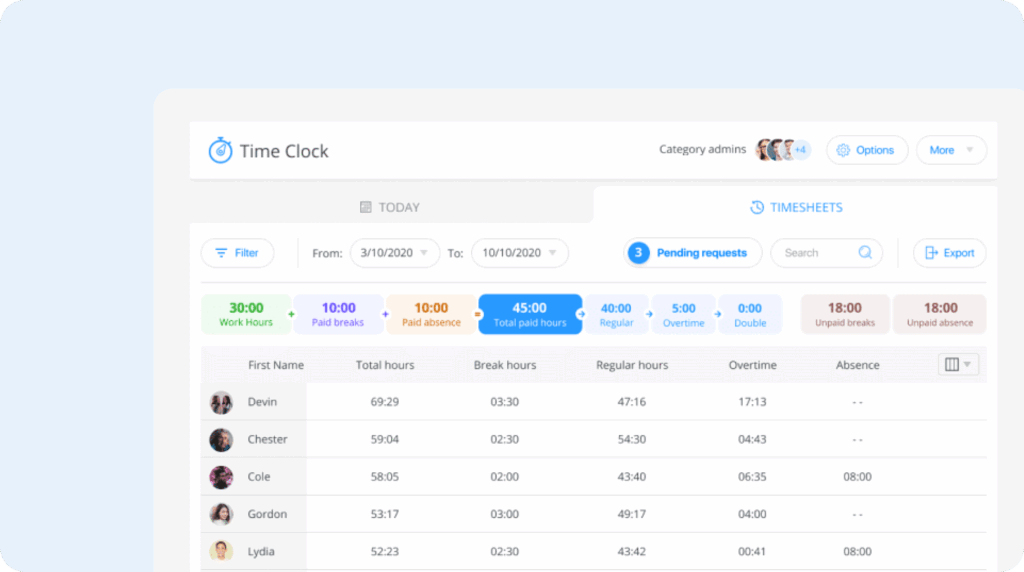
If you’ve continued using paper timesheets or punch clocks because you don’t want to pay for a subscription time tracking app, Connecteam is worth looking into. It offers a free plan for up to 10 employees that lets you track employees’ time without having to pay a dime to use it.
Connecteam’s free plan is very generous. Employees can clock in and out using mobile apps on their phones or a central tablet that you keep on site. That data becomes timesheets in Connecteam automatically, which admins and managers can review using the web application. You can add custom jobs to log time toward specific projects or tasks, and you can export your timesheets for payroll.
If employees are using their mobile phones to clock in and out, you can log their locations to their timesheets and see where they were when they clocked in and out on a map. There’s no option for built-in payroll, but you can integrate with providers like Gusto, Paychex, QuickBooks, and Xero.
You can also create a single employee schedule on the free plan, let employees view and claim open shifts that you’re having a hard time filling, and add tasks to shifts so employees know what they need to do on specific days. You also get access to Connecteam’s PTO tracking features and its team messaging tool that lets you send announcements to employees that they can access in the platform’s mobile app.
Finally, Connecteam’s free plan also includes several HR features. You can build an org chart that lives in the platform, publish open roles online and let candidates apply electronically, create custom courses for your team to take, and build up to eight quizzes you can send to your team.
Overall, Connecteam’s free plan is generous, but it’s best if you’re not really planning to have more than 10 total team members at any time in the near future. Once you grow out of the free plan, Connecteam’s pricing becomes very complex, with features that you had access to in the free plan spread across three different hubs that each have four separate plans (12 options total).
Pricing
Free plan and trial available. View Connecteam’s current pricing.
Learn more about Connecteam
- Read our in-depth Connecteam review
- Compare Buddy Punch vs. Connecteam
- Discover the best Connecteam alternatives
3. Toggl Track – Best for agencies and professional services companies

Toggl Track is a great time tracking app for agencies and professional services companies whose employees work on multiple client projects over the course of a day. With its timeline feature, you can ensure all of your billable hours are accurately captured so you can invoice clients for every minute spent on their projects.
Toggl Track’s timeline feature captures everything someone does on their computer while they work. Employees can clock in, choose projects, and switch projects manually, but if they forget to switch projects, they can refer back to the timeline to correct their timesheets.
Employees can also use the timeline at the end of the day to log time for all of the projects they worked on rather than clocking in and out and switching projects throughout the day.
Though Toggl Track does track everything your employees do on their computers, that data isn’t shared with management unless the employee chooses to do so. This can make Toggl Track more appealing to employees than some of the more invasive productivity tracking tools.
When it’s time to bill your clients for the time you spend on their projects, you can easily generate invoices using your Toggl Track time data. It automatically aggregates all time employees spent on client projects into invoices that list the different tasks that were worked on.
For small teams, Toggl Track’s free plan can be used by a limited, unspecified number of users. The features you get on the free plan are pretty generous. You can track time using the platform’s web, desktop, or mobile apps, and automated time tracking and invoicing are also included. You can also add an unlimited number of projects, though you’ll have to upgrade to create tasks under projects.
Pricing
Free plan and trial available. View Toggl Track’s current pricing.
4. Timely – Best for automating time tracking for knowledge workers

While Toggl Track’s memory tracker can be used to remember what you worked on over the course of the day so you can edit the time you logged to client projects as needed, Timely’s AI-powered time tracking takes things a step further. It monitors what employees do on their computers and then automatically assigns those hours to the right projects based on how employees have allocated their time historically.
This makes Timely another great option for agencies and professional services teams that bill clients for time spent on projects, but it’s also an interesting tool for employees to measure their own productivity. Instead of creating project categories, employees can have AI log their time to tasks like “meetings,” “writing code,” “fixing bugs,” “managing Slack messages,” etc. to see where their time really goes.
Like Toggl Track, Timely is also a privacy-first monitoring tool, so company leaders and managers only see the data employees choose to share with them. However, sharing can be helpful when an employee wants to highlight things like how much time they’re spending in meetings or managing Slack messages so leaders can help them find ways to improve the amount of time they spend doing actual productive work.
For services-based businesses that need to invoice clients with detailed hours listed out by project and task, you can create invoices in Timely and then import them into QuickBooks Online using an integration. And when considering taking on new projects or clients, you can use Timely’s capacity reports to see if you have enough availability on your team to accommodate the work or if you need to hire.
One thing to keep in mind is that Timely is a better fit for salaried employees than hourly ones. While it integrates with nearly 100 different applications, it doesn’t integrate with any payroll providers. So while you can likely connect Timely to your project management tool, help desk software, CRM, and issue tracking platform, you won’t be able to connect it to payroll to pass timesheet data over automatically.
Pricing
Free trial available. View Timely’s current pricing.
5. Hubstaff – Best for knowledge worker time theft prevention
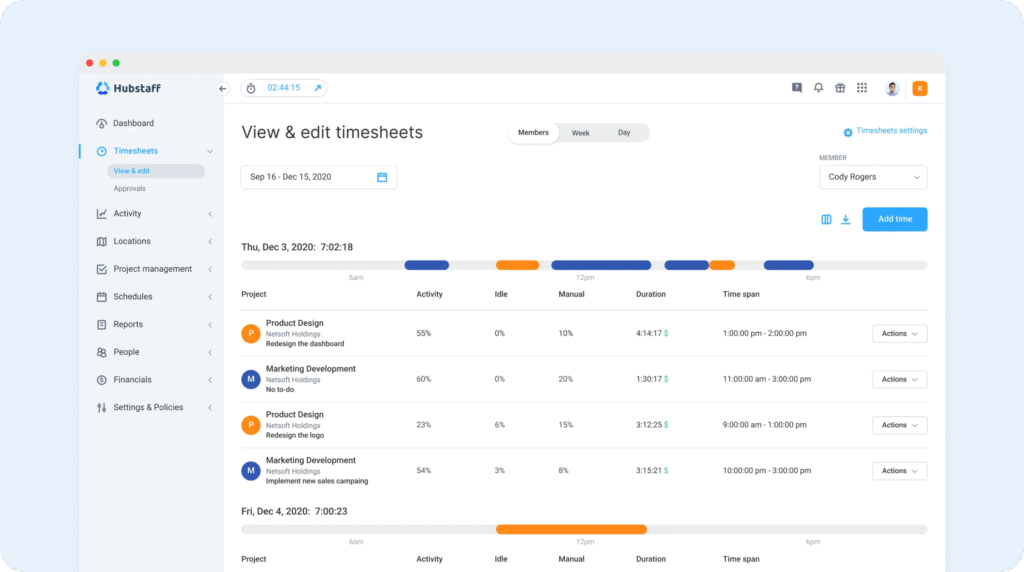
If your employees do all of their work on computers — whether they’re hourly or salaried — and you’re concerned about time theft, Hubstaff is a great time tracking app to consider. It’s designed to monitor what employees are doing on their computers while they work so you can catch time theft in the act or make changes to improve employee productivity.
To track employees’ activities while they’re working, you have them download Hubstaff’s desktop apps for Windows, Mac, or Linux. Then, you can select which employees you want to monitor and the types of monitoring you want to turn on. You can track which apps they’re using and which websites they’re visiting, as well as turn on automatic screenshots to see what they were doing in those apps/on those sites.
App and URL tracking can show you if individual employees are stealing time by scrolling social media or using streaming apps while they’re on the clock. Screenshots will tell you if they were on social media for work or if they were just bingeing TikTok videos. And team-level reports let you know if specific sites are a problem across the team so you can decide to block access to those sites on your network.
Hubstaff also offers idle detection for teams with remote employees. It tracks usage of keyboards and mice to detect when employees are logged into their computers but not actually doing any work. You can automatically remove idle time from employees’ timesheets if you want, or you can set the system up to prompt employees to click a button saying they’re not actually idle (for example, if they’re in a meeting).
Hubstaff’s employee monitoring features are fully customizable, so you can assign them to everyone or only to specific employees. And unlike Timely and Toggl Track (which are designed more for salaried employees), Hubstaff has features that accommodate hourly employees, such as automatic overtime hours identification and payroll integrations with two providers: Deel and Gusto.
Pricing
Free trial available. View Hubstaff’s current pricing.
Learn more about Hubstaff
- Read our in-depth Hubstaff review
- Compare Buddy Punch vs. Hubstaff
- Discover the best Hubstaff alternatives
6. Workyard – Best for automatic job costing
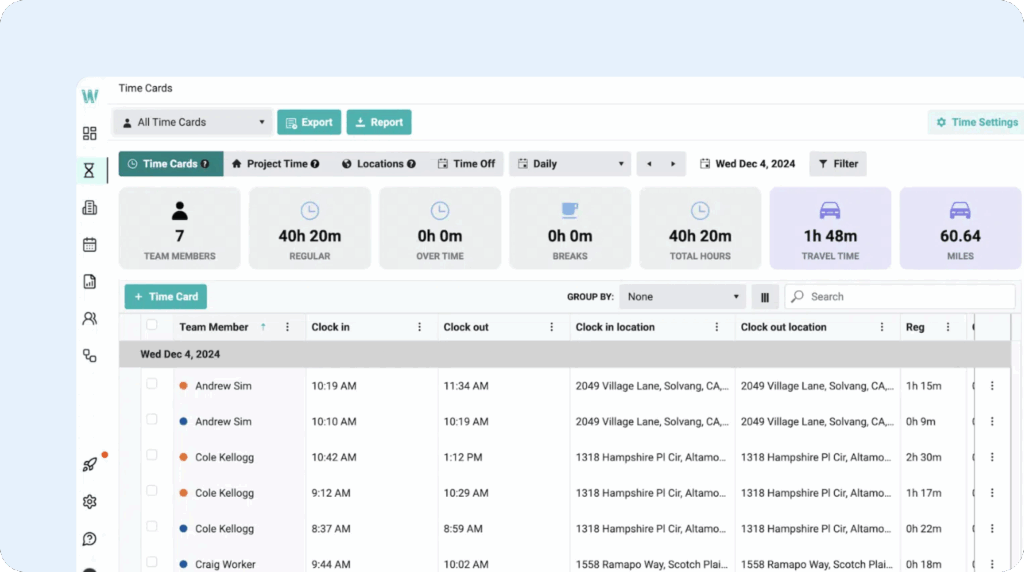
Workyard’s time tracking app is designed specifically for construction and field service teams. It includes many of the same features for multi-location teams as Buddy Punch — such as geofencing, GPS tracking, job costing, and mobile apps — but the highlight of Workyard is that all of these features can work together to automatically allocate employees’ time entries to the correct projects.
To automate your project time tracking, you start by setting up geofences in Workyard for all of your work sites and connecting them to their respective job codes. When employees clock in for the first time in a day, the system starts tracking their locations in real time. Any time they spend within a geofence is automatically attached to that geofence’s job code. It starts tracking time to the job code when the employee enters the geofence and stops when they exit it.
Workyard also automatically tracks mileage, so if employees use their own cars for work and you reimburse them for miles traveled, you can add that data to payroll automatically. Another great thing about Workyard’s automatic job costing is that you can add geofences retroactively if you forgot to add them before employees started tracking time, and the system will automatically update reports for you.
Workyard doesn’t offer built-in payroll, but it does integrate with a few payroll providers (ADP, Gusto, Paychex, Paylocity, Paycor, QuickBooks, and Rippling). It also integrates with a few tools that are commonly used by construction companies, such as Sage, Foundation Software, and Oracle NetSuite.
Finally, Workyard also offers a number of features for field crews to keep the office updated with what’s happening on job sites. Using Workyard’s mobile apps, crew members can fill out project update forms, complete safety checklists, submit incident reports, send project progress photos, and even submit expenses with photos of receipts. You can also keep track of equipment usage hours and issues.
Pricing
Free trial available. View Workyard’s current pricing.
7. QuickBooks Time – Best for large businesses with hundreds of hourly employees

While apps like Buddy Punch, Connecteam, Hubstaff, and Workyard are great for small and mid-sized businesses, large companies will likely want something that’s built for scale. That’s where QuickBooks Time comes in. Its pricing is more than what small businesses need to pay for time tracking, it has the features large companies need to manage their workforces at scale.
QuickBooks Time works out of the box with all of Intuit’s other apps, so if you’re using QuickBooks Online or QuickBooks Payroll, your time data will automatically sync with those other systems. Additionally, you can perform actions in any system that update data in the other systems, so your accounting team can add projects in QuickBooks Online that get added as job codes in QuickBooks Time, and bookkeepers can edit timesheets in QuickBooks Payroll that sync back to QuickBooks Time.
Another benefit of QuickBooks Time is that it offers a REST API you can use to connect your time data to systems that don’t have a prebuilt integration. This means you can do things like automatically add new employees from your HRIS to QuickBooks Time, sync job codes from your construction project management software, and pipe timesheet data into your BI tool for detailed labor cost analysis.
As far as security features, QuickBooks Time offers what big companies need. It maintains SOC 2 Type II certification, encrypts data in transit and at rest, and supports multi-factor authentication on the Intuit account used to log in. You get granular permissions that let you define exactly what each person can see and do, and there’s an audit log that records who changed what that can be used for resolving disputes.
In terms of time tracking, QuickBooks offers a lot of the same features we’ve covered in other apps on this list. Employees can clock in and out on their computers, phones, or a tablet turned into a time clock kiosk. There’s real-time GPS tracking, geofences that remind employees to switch job codes, and automatic mileage tracking. Employee scheduling, attendance tracking, and PTO management are also included.
One thing to keep in mind is that you have to be a QuickBooks Online subscriber to use QuickBooks Time, so if you use QuickBooks Desktop or don’t need accounting software, it may not be the best fit.
Pricing
Free trial available. View QuickBooks Time’s current pricing.
Learn more about QuickBooks Time
- Read our in-depth QuickBooks Time review
- Compare Buddy Punch vs. QuickBooks Time
- Discover the best QuickBooks Time alternatives
8. Deputy – Best for companies with in-person hourly workers

Deputy is a great time tracking solution for businesses with hourly employees who all work at the same location. It’s designed for retail, restaurant, and hospitality businesses that use a point-of-sale (POS) system, have complex scheduling needs, and need to stay in compliance with state and local regulations.
The big advantage of Deputy is that it integrates with POS systems like Clover, Epos Now, Lightspeed, Revel, and Square. You can use the time tracking features built into those programs and connect that data to Deputy to help with scheduling. Using historical sales data from your POS, labor data from time tracking, and employee profile data from Deputy, Deputy can build schedules for you automatically.
If you don’t use a POS system (or don’t want to use your POS for time tracking), employees can also clock in and out using Deputy’s mobile apps or a tablet you turn into a time clock kiosk. Its time theft prevention features are minimal — they’re not as important when everyone’s working in the same place — but you can create geofences to prevent offsite punches and use facial recognition to prevent buddy punching.
The real advantage of Deputy, however, is its scheduling features. You can schedule breaks, get an alert when breaks are missed, and record agreement when employees skip their breaks. The system notifies you when your schedule violates Fair Workweek laws. And if “I didn’t know I was on the schedule” is a common excuse, you can require employees to confirm their shifts after the schedule is published.
Since time tracking and scheduling are built into the same system, you also get alerts when employees clock in late, clock out early, or miss a shift. And when it’s time to run payroll, you can download reports, integrate with 25 different providers, or take advantage of Deputy’s partnership with Paycor to send your timesheet data to Paycor for processing in one click.
Pricing
Free trial available. View Deputy’s current pricing.
9. Insightful – Best for automatic time tracking and time theft prevention

Insightful blends features from both Timely and Hubstaff. Like Timely, it tracks everything employees do on their computers and uses that data to automatically allocate the time spent on specific tasks to the right projects. And like Hubstaff, it has employee monitoring features: app and URL tracking, automatic screenshots, and idle time detection.
Insightful lets managers review data on what employees did on their computers. While reviewing the data, they can determine whether a specific activity is productive or unproductive. After that, those activities will be automatically classified into their respective buckets, and you can view trends in productivity over time by employee, department, or for the company as a whole.
This data can also be used to identify employees who are feeling burned out. Insightful will alert you to changes in productivity levels, and for employees with decreasing productivity, you can have a conversation with them or urge them to take some time off of work.
Insightful also has some unique features you won’t find in other time tracking apps. Because it tracks software and app usage, it can alert you when you’re paying for software that your employees aren’t using. It also alerts you to potential insider risks. Finally, it will notify you when it spots specific things that might be causing decreased productivity, such as long or frequent meetings.
Pricing
Free trial available. View Insightful’s current pricing.
Other employee time tracking apps to consider
While these tools didn’t make it into our top nine, they might be the right choice for your team if you’re shopping for a time tracking app to cover a niche use case that the tools above didn’t satisfy:
10. TimeCamp: A great option for web development agencies, TimeCamp offers AI-powered time tracking like Timely and computer monitoring like Hubstaff. It stands out because of its development-focused integrations with tools like Azure DevOps, GitLab, GitHub, and VersionOne. A free plan is available, and paid plans start at $3.99/user per month.
11. Time Doctor: A great option for customer support teams, Time Doctor integrates with a variety of help desks, including Help Scout, Intercom, Freshdesk, Zendesk, and Zoho Desk. It’s a time tracking and computer monitoring tool like Hubstaff, and it offers the ability to monitor employees silently. Prices start at $6.67/user per month.
12. Clockify: A decent free option for small agencies, Clockify has a free plan for up to five users that includes time tracking, a Pomodoro timer, idle detection, and reports. While its paid plans are often more expensive than other apps with the same features, it’s a decent choice if you want to start free and grow into additional features over time. Paid plans start at $3.99/seat per month.
13. Kimai: Best for companies that want to retain control over their data by self-hosting, Kimai’s open-source software can be used for free if you self-host it. It’s designed for knowledge worker time tracking with features for project tracking, invoicing, and expense tracking. Cloud-hosted plans start at €2.99/user per month.
14. 7shifts: Best for restaurants, 7shifts integrates with nearly 40 POS systems so you can connect sales data to time tracking and scheduling. Its time tracking features are fairly basic, but it stands out for its auto-scheduling that uses historical sales data to predict how many people you’ll need scheduled for the future. A free plan is available, and paid plans start at $39.99/location per month.
15. ADP Workforce Now: While it’s priced for large and enterprise businesses and typically not a good fit for small and mid-sized ones, ADP Workforce Now is worth considering if buddy punching is a serious issue for your team. It offers physical time clock kiosks with face, voice, and fingerprint recognition options. Pricing is not published, so you’ll need to contact ADP for pricing.
To find the right option for your team, figure out which features are must-haves and determine what your budget is. You can narrow down your options by eliminating any that don’t have your must-have features or are priced higher than you can afford. After that, start free trials of the tools you’re seriously considering. The best way to know if a system will work for your team is to take it for a test drive.

