

How to Avoid Scheduling Conflicts: Manager-Approved Guide

Written By: Christian Rigg
Last Updated February 2, 2026
A good schedule keeps labor costs in check, ensures workers are happy and productive, reduces the risk of workplace accidents, and keeps customers happy and loyal. Conflicts, on the other hand, can be costly, stressful, and bad for your business.
I consulted experienced managers who’ve finally achieved smooth scheduling and combined their advice into eight effective ways to prevent scheduling conflicts. I then bundled everything into the ultimate pre-publish checklist, which you can start using today.
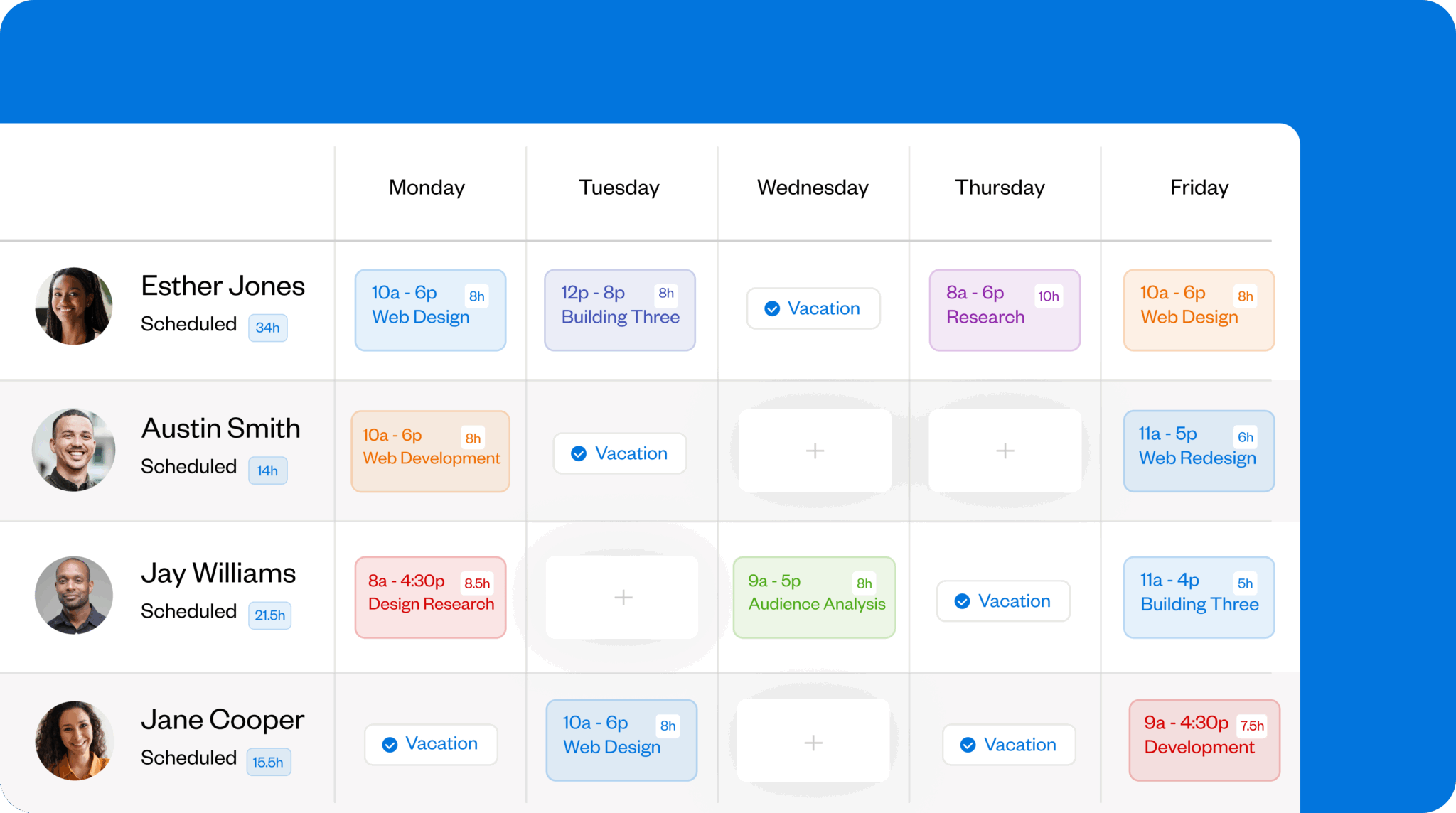
An employee scheduling app like Buddy Punch helps you avoid scheduling conflicts by keeping everything organized and up to date. As a manager, you can create schedules in minutes with the drag-and-drop builder, repeating shift function, and clear employee availability details. Employees can request trades and covers through self-service, and you’ll get alerts for late arrivals, no-shows, early clock-ins, and more.
These eight strategies will help you build schedules that hold up in reality, so you can avoid conflicts for the long haul.
1. Make sure your team’s availability is up to date
You can spend hours building what feels like the perfect schedule, but if people can’t work when they’re scheduled to, you’re back to square one.
This often happens because managers assume “no news is good news” regarding workers’ availability. That is, if an employee hasn’t specifically said they’re not available, it means they are — and onto the schedule they go.
A better approach is to ensure your team’s availability is always up to date, so you’re never scheduling based on assumptions or old information.
I recommend using a mix of these tactics:
- Send early reminders to update availability for the upcoming week. A simple, automated email sent to staff early on helps ensure availability is up to date. It also boosts accountability since no one can claim they simply forgot.
- Use scheduling software with built-in employee availability. Scheduling apps like Buddy Punch offer tools that let employees update their availability each week. Everything syncs directly to your schedule, so you can build around current availability without having to check through spreadsheets, emails, or text messages. A good app will also help you manage paid time off (PTO), holidays, and other scheduled time off.

- Encourage transparency about availability. Employees won’t feel compelled to update their availability if your company frowns on changes in availability. That can lead to people calling in sick (when they aren’t truly ill) or no-showing when something comes up in their personal lives. Foster transparency and openness with availability; it’s better to be in the know and schedule accordingly.
This is exactly what Syeda Sultana, COO at Vetted, does with her team. “I request my staff to place their hard stops, personal engagements, and capacity limits two weeks in advance. It’s easier to be truthful than have a conflict in the future,” she explains. “Plus, to ‘gamify’ honesty, I give first choices next month to those who flag limitations early on.”
2. Get fresh eyes on schedules before they go live
Mistakes are easy to make when you’ve been staring at a schedule and moving shifts around for hours. And once an error slips into the published schedule, conflicts spring up fast.
A simple fix is to add a short review step before anything goes live. Fresh eyes can help identify overlaps, missed breaks, and accidental double shifts that you — or whoever else created the schedule — may have missed.
If you don’t have someone else available to check a schedule before publishing, create the “fresh eyes” effect yourself: Step away from the schedule for a few hours, then come back and do a careful final pass. The reset helps you think more clearly so you can spot conflict-causing errors more easily. I often used this approach as a hotel manager when no other manager was on shift to review the schedule.
Other managers also recommend sharing the schedule with team leaders before it’s finalized. Mike Feazel, CEO of Roof Maxx, notes its benefits:
“[It’s] a simple but effective habit. It allows people to catch overlaps, missed breaks, or unplanned double shifts early. It [..] does help prevent a lot of headaches and ensures the schedule runs nice and smooth from the start.”
If you’re able to create schedules well in advance, you can also send a draft to the wider team and ask employees to flag any issues. Alongside spotting conflicts early, this can surface communication issues — missing details (such as availability) that staff should have provided by then.
3. Double-check skill coverage and ownership
Several managers suggest paying close attention to shift coverage — not just in terms of headcount but also skill and ownership — to avoid scheduling conflicts.
After all, it’s rare that all workers at a job or site will have interchangeable skills. Specialized roles — cashier, server, plumber, mason, and so on — are common, which adds complexity to scheduling: You need the right people on the right shifts at the right times.
If you’re still using Excel or Google Sheets for scheduling, one way to address this is to maintain a master schedule that lists every required shift each day, then compare your weekly schedule against it to ensure nothing is missing.
But the more efficient option is to use the features built into most scheduling software — particularly repeating shifts and schedule templates. These make it much simpler to protect skills coverage without rebuilding the same structure every week.

One manager I spoke to also focuses on shift ownership: Who is responsible for making decisions during the shift? A quick scan of the day’s shifts or a job site’s assignments can reveal gaps where coverage exists but leadership doesn’t.
As Deborah Kaminetzky, Managing Member at DeFacto PM, LLC, explains:
“If a schedule technically covers the hours but no one on that shift has the authority or context to unblock issues, the schedule will fail under pressure. I learned this [while] working with field service and implementation teams where escalation paths mattered more than headcount. Before publishing, I ask, ‘If something breaks at 10 a.m. Tuesday, who on this schedule can actually fix it without waiting?’ If the answer is unclear, the schedule isn’t ready.”
This kind of check can also save you countless panicked texts, calls, and emails during the workday. Your team members will know who to contact with questions and who can act on them.
Kaminetzky shared an example that saved her team hours of delays and a lot of stress. She noticed that her engineers frequently ran into issues with missing cables and other small equipment. They would call and ask what to do, which prevented them and her from getting work done.
Her solution was a clear spending threshold: “I announced that going forward, if anybody is missing anything that costs under $50, they have the authority to purchase it at a local store and keep things moving.”
The team would address the underlying reason (e.g., loss, failure to order) later. The priority was keeping client work running smoothly.
“Having me as the escalation point and decision maker on that type of issue actually hampered rather than helped, especially if we had multiple teams in the field,” Kaminetzky adds.
Policies like these help reduce pressure on senior staff, since the schedule doesn’t rely on one single person being constantly available for routine decisions.
4. Avoid a last-minute, “we’ll figure it out” mentality
Your company’s attitude toward scheduling has a big impact on how often you experience scheduling conflicts.
The more casual you are about scheduling, the more likely you are to encounter issues. When things are quiet, that might seem manageable, but it isn’t sustainable. On the other hand, if you’re already stretched thin, it’s easy to stay in “firefighting mode” and let the same scheduling problems repeat week after week.
Both extremes create trouble over time.
“An early warning sign that a schedule will fail is when it relies heavily on last-minute flexibility or ‘we’ll figure it out’ messaging,” warns Stephanie Bilderback, experienced manager and current instructor at Austin Peay State University.
Instead, she recommends establishing clear expectations, firm availability boundaries, and backup coverage.
That doesn’t mean your schedule can’t be flexible. Many teams use on-call shifts, create float coverage, or guarantee a baseline number of hours and add more when demand spikes.
The difference is whether flexibility in your schedule is planned or improvised. A plan gives you options — your “scheduling guardrails” — without pushing decisions to the last minute, when conflicts are hardest (and most expensive) to resolve.
What does that plan look like? It’ll vary by business, but to give you an idea, I’ve created a scheduling guardrails template and filled in the right-hand column with examples from a construction company.
Scheduling guardrails template
| Core schedule (Shifts and tasks that must be covered) | |
| Critical roles | Site superintendent Safety officer (shared across sites) Lead foreman (per trade) |
| Coverage hours | On-site supervision: 6:30am – 4:00pm |
| Minimum staffing | 1 superintendent per site 1 foreman per active crew 1 certified safety lead on site during high-risk work |
| Special events | Hurricane Jane expected to land middle of week. |
| Flex options (How to add extra help as it’s needed) | |
| On-call pool | 2 rotating foremen per week designated as on-call W/o Feb 2nd: Logan F, John D |
| Extra hours triggers | Weather delay > 4 hours per day Inspection backlog > 24 hours |
| Cross-trained backups | Assistant superintendents trained to cover foreman duties W/o Feb 2nd: Devin covers John M; Lisa covers Rory Senior carpenters trained as temporary crew leads W/o Feb 2nd: Mark F can step in Mon-Wed, John D Th-Fr |
| Conflict plan (How to respond to different scenarios) | |
| If someone calls out, we… | On-call foreman fills in for the shift W/o Feb 2nd: Logan F or John D Assistant superintendent covers foreman duties W/o Feb 2nd: Devin (John M) or Lisa (Rory) |
| If demand spikes, we… | Activate Saturday half-day crew W/o Feb 2nd: Logan F, John D, John M, Lisa Authorize overtime for priority trades only |
| If coverage drops below ___, we… | Pause non-critical work Push material staging to next week, punch list items if time Reassign crews from lower-priority site Move crews from 155 Singer St |
| Admin | |
| Schedule owner (who to contact) | Contact Jack for any issues; if no answer, contact Matt |
5. Set clear rules for shift swaps and covers
“Hidden” shift swaps and covers are among the fastest ways to create scheduling conflicts — because the schedule no longer matches who actually shows up for work.
They usually happen for two reasons.
Unclear (or missing) policies
Your shift swap and cover policy should be clear, specific, firm, and enforceable. You can include it in your employee attendance policy or publish it as a standalone document. Either way, treat it like an agreement between your company and your staff. Have employees read and sign it, and refer to it when issues come up.
At a minimum, make sure your shift swap and cover policy includes:
- Purpose: Why have you created this document, and who is it meant for? What will it help prevent, and how does it benefit employees and the company?
- Scope: Which workers, roles, and shifts are concerned? How do you define a shift swap and a shift cover?
- Employee responsibility: Who’s responsible for the shift until it’s covered, and what happens if a cover can’t be found?
- Eligibility: Who can employees swap with, and where do they find this information?
- Request process: How should an employee submit their request, and how can they track its status?
- Timeframes: How far in advance must employees make a request? What happens in the event of short-notice requests?
Review your policy at a set frequency (for example, once every three months) and update it based on patterns you see: continued missed approvals, last-minute swaps, roles being covered by the wrong people, etc.
Weak scheduling tools
A recurring theme from managers I consulted is the importance of using the right scheduling tool. Excel and Google Sheets may seem fine at first, but they don’t handle real-world changes well — especially when swaps and covers happen quickly.
Good scheduling and time tracking software can help you avoid scheduling conflicts by keeping swaps and cover requests in one place, with clear records of who requested what, when, and whether it was approved.
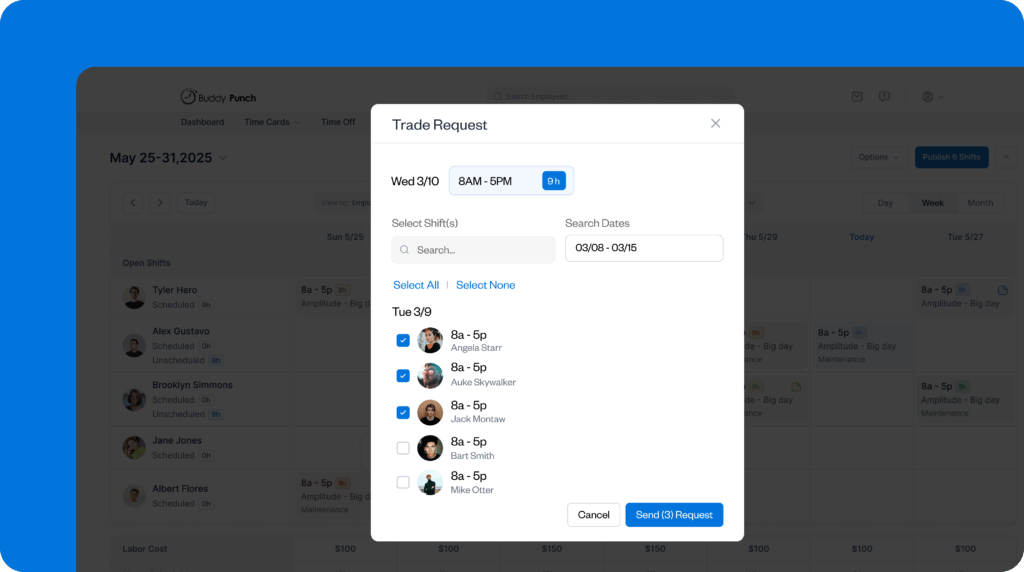
In Buddy Punch, for example, employees can request a swap or cover directly within the app. As a manager, you’re alerted if any change would create overtime or staffing issues, and you can approve or deny the request (from your phone or computer) before the schedule updates.
That means no more chasing down texts or searching through emails to confirm who’s working. Most importantly, strong software ensures everyone is viewing the same up-to-date schedule, which reduces last-minute surprises and avoidable conflicts.
6. Be realistic about travel, handover, demand, and fatigue
What looks good during planning doesn’t always work out in real life. These habits can prevent small issues from snowballing into scheduling conflicts.
Add 10–20% to travel time
If travel time is too tight, workers arrive late, and the next shift or job starts late, too. That can trigger missed handovers, overtime, and urgent cover requests.
The fix is easy: Don’t schedule travel time down to the minute. Even if Google Maps or another routing tool says it’s a 30-minute trip, adding 5–10 minutes provides a cushion so a typical traffic delay doesn’t become a scheduling problem.
Overlap shifts for handover
In roles where work has to be handed off — restaurants, call centers, hospitals, front desks — handover takes real time. If one shift ends exactly when the next begins, one of two things happens: Details get missed or someone stays late to finish the handover, which increases overtime and still doesn’t guarantee a clean transition.
To prevent that, build a small overlap into any shift that requires a handover. Use a 10–15-minute overlap for routine handovers (e.g., for day-to-day updates) and a 20–30-minute overlap for more complex handovers (e.g., patient transfers, cashing out, escalations, etc.).
This can appear more expensive on paper, but it usually reduces overtime (and, therefore, costs) and prevents mistakes that create follow-up calls or complaints.
Leave breathing room between jobs
“I block 30 minutes of buffer time between every scheduled job,” says Emily Demirdonder, Director of Operations at Proximity Plumbing. She explains that a job estimated at 1.5 hours can easily extend to 2 hours, and the buffer prevents the rest of the day from slipping.
“This practice costs the company nothing, but it allows each plumber time to properly complete the previous job without hurry and without making the next client wait,” Demirdonder adds. “We also use that time to have the plumber call the next client to give them an estimated time of arrival.”
Following Demirdonder’s advice means you can avoid late arrivals, rushed work, and frantic rescheduling.
Plan for weather and special occasions
External factors can also create scheduling conflicts if they’re overlooked, so it’s worth checking them before you publish.
The weather is a big one. It can affect whether people can get to work, change demand levels, and even determine whether certain jobs can be done at all (e.g., outdoor or field work). Rain, snow, extreme heat or cold, and severe storms all increase the risk of late arrivals, short staffing, or cancelled work that can cause scheduling issues.
So before you publish a schedule, check the weather forecast and adjust accordingly. You can add buffers, update shift or job start times, increase coverage, or plan backups to stay ahead of potential headaches.
Events and holidays are another factor. They can affect employee availability and determine how much coverage you need on a particular day or across a stretch of time.
Religious holidays may require time off. School and college breaks can change staffing and customer volume, especially for retail businesses, restaurants, and hotels. And local events (such as festivals, sporting events, or parades) can double commute times or block normal routes to job sites.
As you build each schedule, refer to your city’s calendar of events. Look for upcoming holidays and major nearby happenings, then adjust staffing levels or start times to avoid conflicts on the day.
7. Think carefully about workers’ limits
As a manager, you’re responsible for keeping shifts covered while also ensuring your team can realistically handle the workload. Scheduling several back-to-back shifts or many demanding days in a row are signs you’re pushing your employees too hard. This can quickly lead to call-ins, no-shows, and late shift swaps — not to mention burnout and low morale.
“Conflicts don’t always mean a problem on paper. They often come from overload,” notes Jessica Thompson, Director of Business Operations at GoPromotional. “I always review the schedule to see if anyone is scheduled back-to-back on energy-demanding work. A schedule may work ‘technically,’ but employees who consistently handle highly stressful work will burn out sooner or later.”
Before publishing a schedule, do a workload check and make adjustments where necessary:
- Scan for fatigue risks such as long shifts, high-pressure work in succession, or closing shifts followed by opening shifts.
- Rotate demanding work across qualified staff instead of repeatedly assigning it to the same few “go-to” people.
- Set and enforce downtime between shifts, even for employees who regularly volunteer for and “can handle” extra work.
8. Treat each week as a learning opportunity
Schedules aren’t one-and-done documents. They change with your team, workload, and priorities, and they need to work for everyone.
So if you want fewer recurring issues, treat scheduling as a training and communication task and a process you improve week over week.
As Bilderback explains:
“The most effective long-term habit I’ve observed is treating scheduling as a training and communication process, rather than just an administrative task. Managers who regularly revisit scheduling expectations with their teams, especially during onboarding or role changes, prevent chaos far more effectively than adding new tools or layers of approval.”
In practice, this looks like two habits:
- Reinforce the basics. Make sure your employees understand your scheduling rules, specifically your attendance policy and scheduling guardrails document. Encourage them to ask questions, share limitations early, and flag potential issues before the schedule goes live. When employees know expectations and feel “invested” in the schedule, they’re more likely to stick to the plan — helping you avoid conflicts.
- Run a quick weekly review. Demirdonder recommends reviewing the prior week’s conflicts and near-misses to identify issues before they become patterns.
“I hold a 15-minute scheduling review with my three office admin assistants every Monday morning,” she explains. “We discuss what caused the issues and document our shared notes on each of our plumbers’ preferences and skill sets so that we can capture any new information before it becomes an issue.”
Demirdonder also tracks how often the schedule changes after it’s published: “Once I start to see [more than] two changes made to a schedule in less than one week, I know we need to do a better job of tightening up our checks before we publish the schedule so we don’t let these small cracks develop into major problems when it comes to scheduling.”
Contributors
- Syeda Sultana, Vetted, COO
- Mike Feazel, Roof Maxx, CEO
- Deborah Kaminetzky, DeFacto PM, LLC, Managing Member
- Stephanie Bilderback, Austin Peay State University, Instructor
- Emily Demirdonder, Proximity Plumbing, Director of Operations & Marketing
- Jessica Thompson, GoPromotional, Director of Business Operations

