

Retro Pay: What It Is and How to Calculate It Correctly

Written By: Reem Abouemera
Last Updated February 19, 2026
Most payroll runs are uneventful — until payday reveals something important was missed.
An employee notices their raise didn’t hit, overtime looks short, or a shift premium never made it onto the check. Fixing it means reopening timecards, digging through approvals, and correcting work that already happened — all while you’re trying to stay ahead of the next payroll cutoff.
This kind of after-the-fact correction is known as retro pay. And while the math can be straightforward, the process can sometimes feel like anything but.
In this guide, I cover what retro pay is, why it happens, and how to calculate it correctly. I also explain how you can reduce the need for retro pay in the first place.
What is retro pay?
Retro pay (short for retroactive pay) is a payroll adjustment made after a paycheck is issued to fix an earlier underpayment. It represents the difference between what an employee should’ve earned for a past period and what they actually received.
What triggers retro pay
Retro pay usually happens when details that affect pay — such as rates, hours, shift premiums, bonuses, etc. — aren’t finalized before payroll is processed.
As Kasey Devine, Founder and CEO at Entravia, explains:
“Most retro pay issues are not caused by complex math. They’re caused by timing gaps and missed inputs that don’t get caught before payroll runs.”
Common triggers include:
- Late or missed pay rate changes
- Late timecard approvals
- Missing or miscalculated shift differentials (for overnight, weekend, or other critical shifts)
- Delayed bonuses or commissions
- Punch corrections that change overtime eligibility (e.g., a fix pushes weekly hours over 40)
In each case, payroll must be corrected to reflect the work performed.
Why retro pay often becomes a repeat problem
Retroactive pay can easily keep happening if a business can’t clearly answer three key questions:
- Who owns changes that will impact payroll?
- Where are those changes documented?
- When exactly does payroll have to be finalized?
Let’s break this down:
| Operational gap | How it impacts payroll |
| Changes happen informally in various places | Decisions are made in Slack, by email, or in person, but are never properly recorded in the payroll system. |
| No clear owner for pay-impacting changes | Managers assume payroll has the information and will push the update; payroll assumes the change starts in the next cycle. |
| Cutoffs aren’t clear or enforced | Last-minute edits regularly roll into the next pay run. |
| Approvals come in after submission | Timecards, bonuses, and commissions are accurate — just approved too late. |
| Limited visibility into what’s actually pending | Payroll can’t clearly see what’s approved versus still in progress. |
And the risk only grows as teams do. More employees, approvers, handoffs, and rules increase the likelihood that something gets approved or corrected — but not entered in time.
How to calculate retro pay correctly
With retro pay calculations, the math itself usually isn’t the tricky part. It’s making sure you’re looking at the right numbers and recalculating the right pieces.
Here are the general steps to follow every time:
- Define the retroactive window by confirming the effective date and which pay period(s) it impacts, including start and end dates.
- Pull the original details: the issued paycheck or payroll register and the timecard(s) for the retroactive window, including the original gross pay and line items.
- Recalculate what should’ve been paid; start with regular pay first, then overtime, then any shift differentials, premiums, bonuses, or commissions tied to that period.
- Calculate the retro pay amount by subtracting the corrected total from the original total.
- Save a simple breakdown showing dates, hours, old versus new rates, and the final difference, so the correction is easy to explain to the employee and to support later (e.g., during an audit) if needed.
When retro pay spans more than one pay period, it’s easy to introduce small rounding differences if you do the payroll math by hand. Instead of rounding as you go, calculate each pay period using exact amounts, add everything together, and round only the final total.
Now, let’s look at two examples to see what retro pay calculations look like in practice.
Example 1: Hourly employee (raise entered late, overtime involved)
Maria’s hourly rate increased from $18 to $20, effective two weeks ago, but payroll didn’t apply the change before the cutoff. During the retro window (the two weeks the new rate should’ve applied), Maria worked 72 regular hours and eight overtime hours. Her overtime is paid at time-and-a-half.
Payroll will recalculate Maria’s regular and overtime pay to see what she should have earned, subtract what she originally received from that total, and issue the difference.
| Pay detail | Calculation | Amount |
| Original regular pay | Regular hours × old hourly rate 72 × $18 | $1,296 |
| Original overtime pay | Overtime hours × (old hourly rate × 1.5) 8 × ($18 × 1.5) | $216 |
| Original total pay | Original regular pay + original overtime pay $1,296 + $216 | $1,512 |
| Corrected regular pay | Regular hours × new hourly rate 72 × $20 | $1,440 |
| Corrected overtime pay | Overtime hours × (new hourly rate × 1.5) 8 × ($20 × 1.5) | $240 |
| Corrected total pay | Corrected regular pay + corrected overtime pay $1,440 + $240 | $1,680 |
| Retro pay owed | Corrected total pay – original total pay $1,680 – $1,512 | $168 |
Example 2: Salaried employee (raise effective mid-pay period)
David is salaried and paid biweekly, meaning he receives 26 paychecks per year. Recently, his annual salary increased from $60,000 to $66,000, effective halfway through the current pay period; payroll applied the change starting with the next cycle.
Payroll will calculate David’s old and new pay for one full paycheck, determine the difference, and pay only the portion that applies to the retro window — in this case, 50%.
| Pay detail | Calculation | Amount |
| Old salary per pay period | Old salary ÷ number of pay periods per year $60,000 ÷ 26 | $2,307.69 |
| New salary per pay period | New salary ÷ number of pay periods per year $66,000 ÷ 26 | $2,538.46 |
| Difference per pay period | New salary per pay period – old salary per pay period $2,538.46 – $2,307.69 | $230.77 |
| Portion owed | 50% | |
| Retro pay owed | Difference per pay period × portion owed $230.77 × 50% | $115.39 |
How retro pay affects taxes and deductions
Retro pay is taxable income. Whether it comes from a base rate correction, missed overtime, bonuses, commissions, or shift premiums, it’s taxed when it happens — not when the work originally happened.
How retro pay is withheld
When you issue retro pay, the key question is how it will appear on the paycheck: as a separate line item (a separate payment) or rolled into the employee’s regular wages.
That choice affects how federal income tax withholding is calculated:
- Paid separately: Federal income tax is often withheld at a flat 22% rate.
- Added to regular wages: The retro amount is combined with the employee’s normal pay, and withholding is calculated using their W-4.
What gets withheld (and when)
| Tax item | What happens |
| Federal income tax | Withheld when retro pay is paid |
| State and local tax | Withheld when retro pay is paid |
| FICA taxes (Social Security & Medicare) | Applied like regular wages |
How to reduce employees’ confusion around retro pay tax
Retro pay often confuses employees because it’s taxed in the pay period it’s issued, not the period it applies to. As a result, withholding may look higher than expected — especially if the retro amount makes that paycheck larger than usual, which can change the withholding calculation.
For employees, the issue usually isn’t the correction itself. It’s not being able to tell what changed or why their take-home pay looks different. That’s why clarity and transparency matter.
A simple way to reduce confusion is to show retro pay as a separate line item, so employees can clearly see which portion of their paycheck is a correction.
Chris Kirksey, CEO of Direction.com, takes this a step further:
“I provide each employee with a quick breakdown on a spreadsheet of their old rate versus the new rate, total hours worked, and the net addition of money so they can see it is fair.”
That level of detail can also help prevent disputes. Adam Gorham, Founder and Creative Director at Adam Gorham Films, has found that clear line items remove doubt before it starts:
“Line item detail is the only way to prevent suspicion. […] Every time I send out deposits that include retro payments, I include a detailed breakdown showing which dates the extra money is covering. […] This type of transparency eliminates the necessity for back and forth correspondence to clarify or dispute the correctness of the corrections issued.”
How to reduce retro pay incidents
Reducing retro pay usually isn’t about fixing mistakes faster. The solution is to tighten your processes for how payroll is calculated — the ones that let mistakes slip through in the first place.
Enforce pay change cutoffs
One of the fastest ways to reduce retro pay is to control when pay changes take effect. Instead of applying raises mid-pay period or as soon as they’re approved, set a fixed effective date that payroll can plan around. That prevents partial-period recalculations and last-minute scrambling.
Ron Harper, Licensed Paralegal and Owner at OTD Ticket Defenders Legal Services, uses this approach:
“Retro pay in my firm mostly occurs when performance-based raises are not timely. I stop this by establishing a rule that any raise of rates only begins on the first day of a new quarter. This ninety days period will allow the administrative team space to reconcile hours and make sure that the new rate correlates with the particular accomplishments of the paralegal, but not to hurry up the calculations.”
Standardize how pay changes are approved
Retro pay often occurs because pay changes are spread across too many systems. Verbal approvals, Slack messages, or email threads are easy to miss once payroll starts moving.
To reduce that risk, standardize how pay changes are submitted and approved:
- Require all pay changes to be submitted through one channel.
- Assign one owner responsible for approving and entering changes.
- Require an effective date before the change is considered approved.
As Devine notes:
“The biggest reduction in retro pay corrections tends to come from tightening the handoff between managers and payroll. […] Teams that moved to standardized approval workflows or cutoffs for pay changes saw a noticeable drop in retro corrections.”
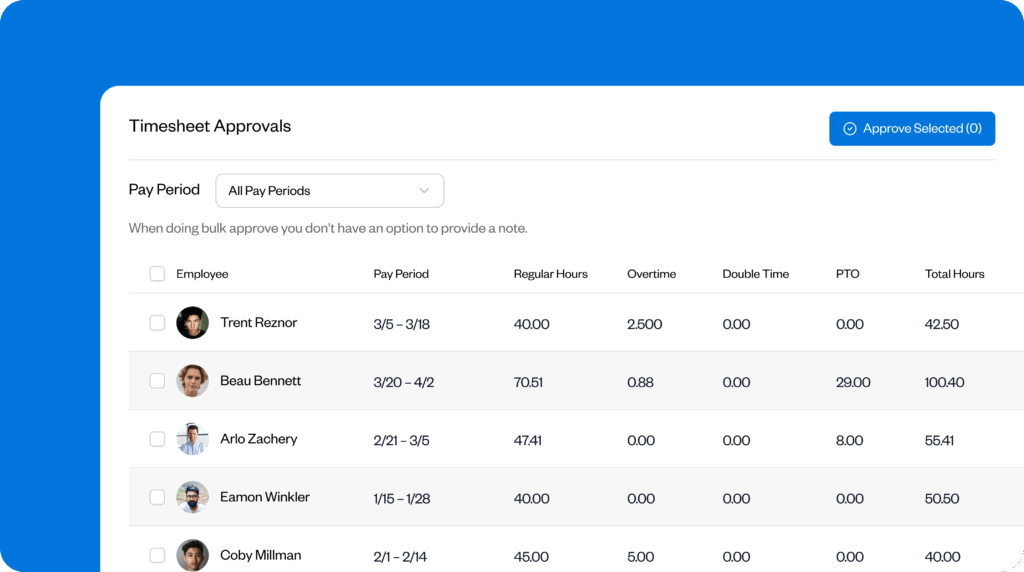
Buddy Punch supports this workflow by keeping timecard edits tied to an approval step before payroll. You get a clear record of when changes were made and who signed off, so you can stop chasing last-minute confirmations across emails or messages.
Use accurate time tracking and records
When payroll starts with reliable data, fewer issues slip through. That’s why accurate, up-to-date time and pay records make retro pay less likely and easier to manage when it does happen.
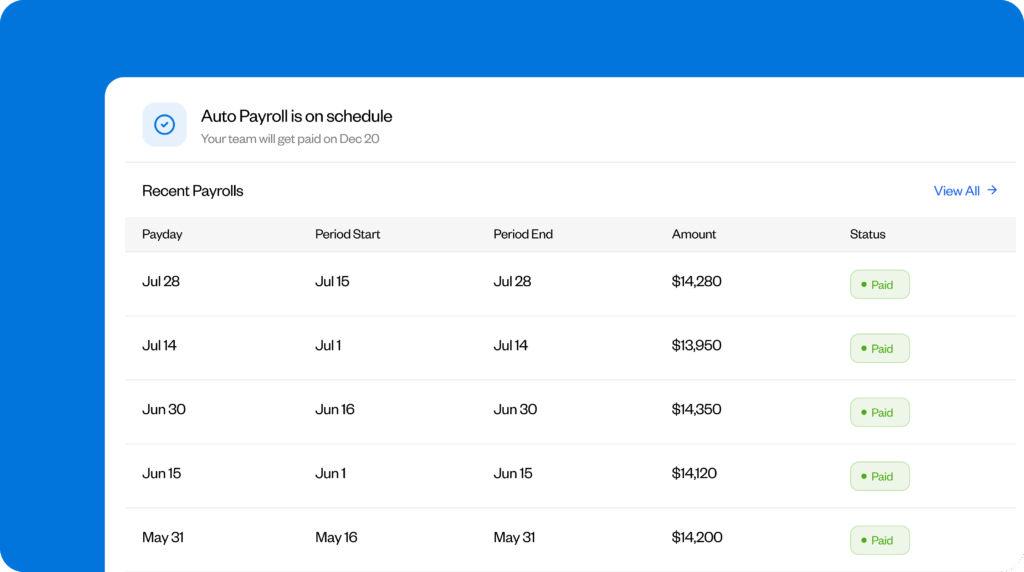
With payroll and timekeeping software like Buddy Punch, everything that affects pay lives in one place. That visibility makes it easier to catch issues earlier and handle corrections without retracing weeks of work.
This reduces retro pay by:
- Starting payroll with cleaner inputs. When hours, attendance, PTO, and other pay-affecting entries are tracked consistently and don’t have to be re-entered or reconciled across systems, there’s less room for missed time, incorrect totals, or manual re-entry errors.
- Making issues visible before payroll runs. Seeing hours and overtime as they’re logged gives you time to review missing punches or unusual totals before payroll is processed.
- Supporting faster, more accurate corrections. Clear audit trails show you what changed, when, and why, so you can make targeted adjustments instead of rebuilding past payroll when needed.
Build overtime verification into retro pay reviews
Missing or incorrect overtime pay is one of the most common payroll errors employees report, and retro pay mistakes often magnify it.
As such, any retro pay that affects hours should automatically trigger an overtime review. Before issuing a correction, separate the total hours back into regular and overtime hours. Then, confirm that overtime is recalculated using the correct rate.
This extra step is important because retro pay often affects weekly totals. If corrected hours push an employee over the overtime threshold, the premium must be recalculated as well, not left at the original rate.
Riley Westbrook, Co-Owner of Valor Coffee, knows firsthand what happens when this step isn’t built into the process:
“My team has seen numerous errors (wherein) administrators simply take the base rate difference and multiply it by the total hours worked, while ignoring the ‘time-and-a-half’ premium… Incomplete overtime premium calculations increase your risk of being sued for wage theft.”
Overtime verification also plays a role in compliance. Johannes Hock, President of Artificial Grass Pros, tells Buddy Punch that he’s seen how even small differences can escalate when they aren’t caught early:
“You will have compliance issues. I have observed a situation where the disregard of the difference of $3.75 per hour of overtime resulted in major problems in year-end audits.
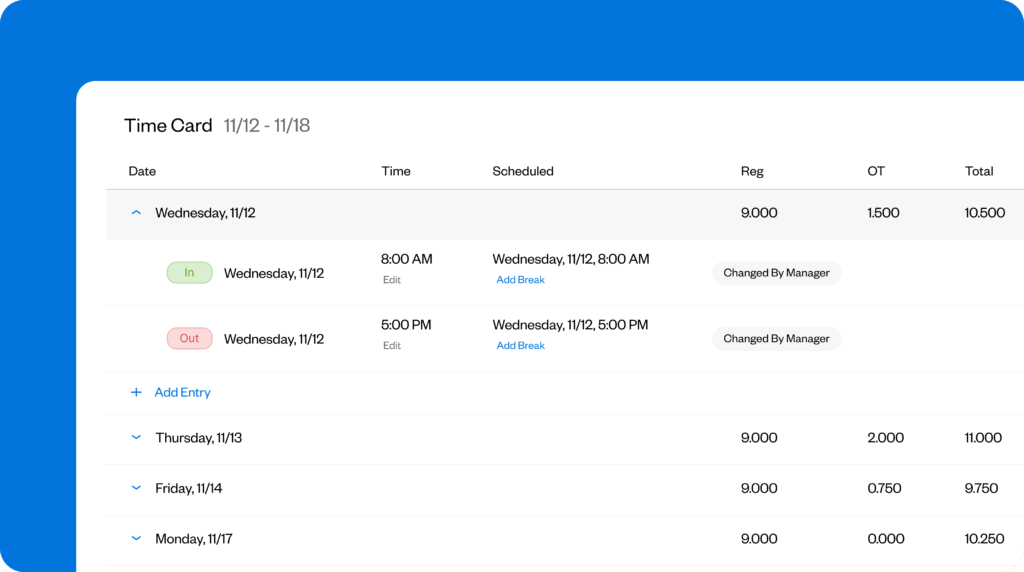
To prevent retro pay issues tied to overtime, make this check part of every correction workflow. With Buddy Punch, it’s simple to spot when a timecard correction affects weekly totals — because you can review regular hours, overtime, and timecard edits together. From there, you can recalculate overtime more easily using the correct rate before retro pay is issued.
Fully resolve retro pay corrections before the next payroll run
Every retro pay correction should be treated as a closed task, not a temporary fix. Before running the next payroll, always confirm that the underlying issue has been fully resolved and won’t affect future pay.
As part of that review, double-check that the correction hasn’t thrown off overtime calculations, deductions tied to gross pay, or future retro adjustments.
If any of these are still affected, fix them in the same payroll run. Closing the loop on each correction prevents small issues from carrying forward and turning into repeated payroll cleanup.
Run a pre-payroll checklist
Before every payroll run, pause and work through this checklist to catch issues while they’re still easy to fix:
- Have all timecards been reviewed and approved for the pay period?
- Are there any approved raises, rate changes, or premiums that haven’t been entered yet?
- Did any employees cross into overtime that needs verification?
- Were there any late edits to timecards after initial approval?
- Do any corrections affect a prior pay period?
FAQs
What’s the difference between back pay and retro pay?
Retro pay fixes payroll calculations or timing errors. Back pay typically covers wages that were never paid and is often tied to audits, disputes, or legal and compliance issues.
Is an employee legally entitled to retro pay?
Yes. Under the Fair Labor Standards Act (FLSA), employees must be paid for all earned wages, including amounts missed due to payroll errors. When an underpayment happens, employers must correct it. Clear time and pay records in tools like Buddy Punch make it easier to document and support those corrections.
How long does an employer have to pay retroactive pay?
The FLSA doesn’t set a single deadline for employers to issue retroactive pay, but it does require employers to pay owed wages promptly once an error is discovered. State laws may be stricter.
Contributors
- Kasey Devine, Entravia, Founder & CEO
- Chris Kirksey, Direction.com, CEO
- Adam Gorham, Adam Gorham Films, Founder & Creative Director
- Riley Westbrook, Valor Coffee, Co-Owner
- Ron Harper, OTD Ticket Defenders Legal Services, Licensed Paralegal/Owner
- Johannes Hock, Artificial Grass Pros, President

