
Buddy Punch Integrations
Integrate Buddy Punch with 21 popular payroll and accounting systems to pass your timesheets to payroll quickly with no manual data entry required.
Don’t see your payroll provider on the list, or want to integrate with something other than payroll? Connect other software to Buddy Punch using either our developer API or our Zapier integration.

Featured integration: QuickBooks
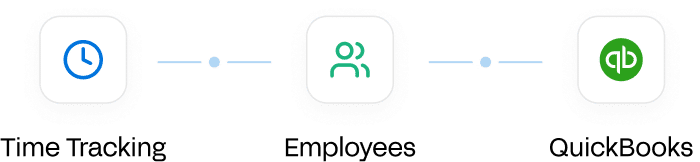

“Buddy Punch was the only app that did what I wanted it to do – sync up department codes with job reporting codes in QuickBooks.”
Buddy Punch integrates with 21 popular payroll and accounting tools

ADP RUN
Export hours and time off as a file ready for ADP RUN’s Pay Data Import.
ADP Workforce Now
Export hours, time off, and codes for import into ADP Workforce Now.

Auris (Heartland)
Map your data to Auris columns and export a payroll file built for Auris.

Deltek ComputerEase
Send hours to ComputerEase with a payroll file that matches your earning codes.

Deluxe Payroll
Export payroll hours in Deluxe’s format, with time off mapped to your Deluxe codes.

Gusto
Upload hours to Gusto’s CSV import, broken out by job title when employees have multiple pay rates.

isolved
Upload hours by pay category, including overtime and double time, to isolved’s Time Card Import.

Justworks
Export each pay period’s hours in a Justworks-ready file with no employee IDs needed.

Paychex Flex
Send hours and time off to Paychex Flex, mapped to pay codes and job numbers.

Paycor
Create a Paycor-formatted payroll file with time off mapped to Paycor codes.

Paylocity
Turn each pay period’s hours into a TimeImport batch for Paylocity WebPay.

PaymentEvolution
Build a PaymentEvolution-ready payroll file from your team’s time and time off.

PayPlus
Turn tracked hours into a PayPlus import file using your own earning codes.

QuickBooks Desktop
Sync hours and time off to QuickBooks Desktop on demand or automatically.
QuickBooks Online
Map employees and payroll items, then sync your hours to QuickBooks Online.

Rippling
Export hours to Rippling’s payroll file format, with PTO hours mapped for you.

SurePayroll
Bring hours into SurePayroll’s Time Clock Integration, sorted by your earning codes.

TriNet Payroll
Export employee time in a TriNet-ready file matched to TriNet employee IDs.

Viewpoint
Map hours to Viewpoint pay types and download a file that’s ready to upload.

Wagepoint
Create a file that’s formatted perfectly for Wagepoint payroll in a few clicks.

Workday
Export hours by category, from regular to overtime and time off, in Workday’s import format.
Other ways to integrate Buddy Punch with the apps you use
Developer API
Connect Buddy Punch to your own systems or custom-built software. Read and manage employees, punches, time cards, pay periods, schedules, time off, and more.
Zapier integration
Link Buddy Punch to thousands of other apps without writing any code. For example, you can add new employees to Buddy Punch from a Google Sheets or Excel spreadsheet.
Single sign-on (SSO)
Let your team log in to Buddy Punch with the accounts they already use: Google, Apple, Okta, OneLogin, or Microsoft Entra. Admins may also be able to log in using Intuit credentials.
Frequently asked questions
Are Buddy Punch’s payroll integrations included in the price of its plans?
Yes, all of our payroll and accounting integrations are included in all of our plans. There is no additional cost to use any of our payroll integrations.
Can I test the payroll integrations during my free trial?
Yes. You can test all of Buddy Punch’s payroll and accounting integrations during a free trial of any Buddy Punch plan.
Do I have to integrate with payroll to get hours data out of Buddy Punch?
No. Our payroll integrations are available for your convenience, but using them is entirely optional. We also offer multiple ways to view and download your hours data and timesheets if you’d prefer to export your data and upload it to payroll yourself.
Does Buddy Punch support single sign-on, and if so, with which providers?
Yes. Our single sign-on feature is included in the Advanced plan. It lets your team log in to Buddy Punch using Google, Apple, Okta, OneLogin, or Microsoft Entra credentials.
Does Buddy Punch have its own payroll?
Yes. The integrations on this page help you send hours to your current payroll provider faster. If you’d rather keep everything in one place, Buddy Punch Payroll runs on the same timesheets your team already tracks, so there’s nothing to export. Sync hours into a payroll run in a few steps, pay employees by direct deposit, and let us handle tax filings, W-2s, and 1099s.
Does Buddy Punch integrate with other business software?
Not natively for most apps, but you can connect Buddy Punch to other systems using the Zapier integration or the Buddy Punch API. Zapier lets you connect Buddy Punch to thousands of other apps without any code. And if you need a deeper connection and have the technical resources, you can use the Buddy Punch API.
Can I integrate with third-party calendar apps to sync schedules and time off?
Yes. Admins can sync Buddy Punch schedules and employee time off to Google Calendar, Outlook, or Apple Calendar without a separate integration. Copy the sync code from Buddy Punch and add it to your calendar app, and scheduled shifts and time off will show up next to the rest of your events.

